Dell Latitude 7410 Battery Disconnection
ID: 165059
Description: This guide demonstrates how to disconnect the...
Steps:
- Use a Phillips screwdriver to loosen the eight captive screws securing the back cover.
- Insert an opening pick between the right edge of the back cover and the frame, just below the middle right screw.
- Slide your pick along the right edge to release the clips securing the back cover.
- Insert your pick between the left edge of the back cover and the frame, next to the speaker cutout.
- Slide your pick along the left edge to release the clips.
- Insert your pick between the back cover and the right display-hinge to release the first clip along the back edge.
- Slide your pick toward the left hinge until the second clip releases.
- Insert your pick between the front edge of the back cover and the frame, just to the right of the bottom left screw.
- Slide your pick toward the right edge until the front edge releases from the frame.
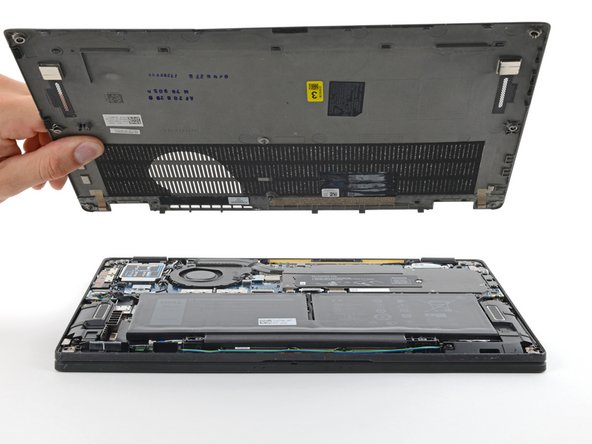
- Remove the back cover.
- Grab the black pull tab on the head of the battery connector and pull straight up to disconnect it.