Amazon Echo Look Front Panel Replacement
ID: 166991
Description: The Amazon Echo Look's primary function as a...
Steps:
- Ensure the device is completely powered off and disconnected from any power source by removing the charger adapter point from the back of the device.
- If the device stand is attached, remove it by twisting the device's base toward yourself until detached.
- Heat the front panel with an iOpener.
- It may help to secure the iOpener to the device.
- Heat the device for 5-10 minutes to loosen the glue.
- CAUTION: The iOpener and the device may be hot.
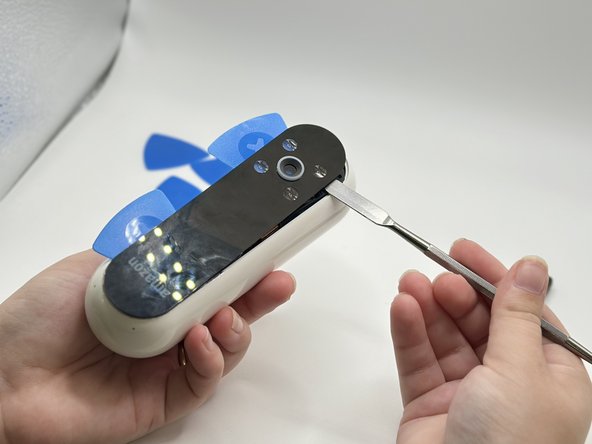
- Lever the Jimmy between the screen and the device until an opening is formed.
- Insert opening picks to hold the opening as needed.
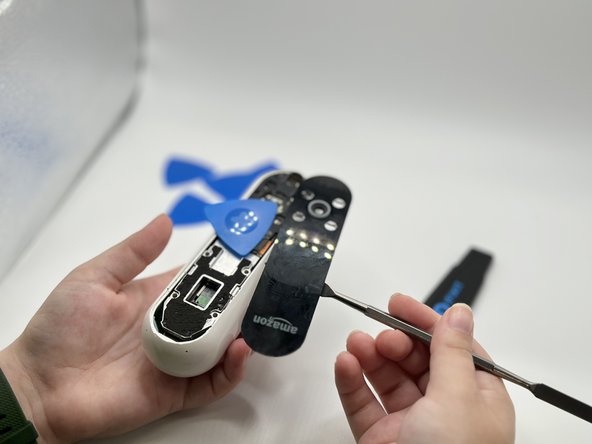
- Use a spudger to circle the border of the front panel and disconnect any lingering glue.
- Step 3 may need to be repeated as Step 4 is time-sensitive.
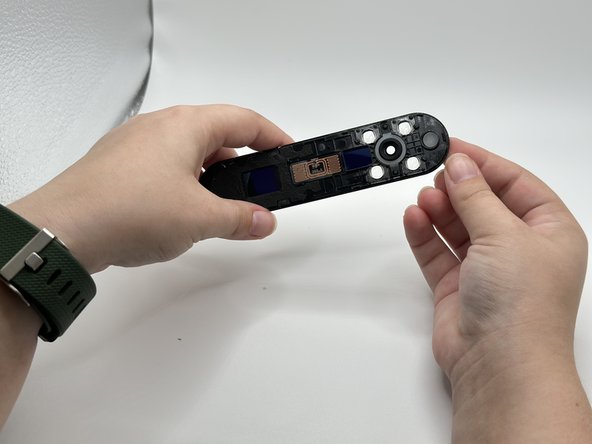
- Remove the front panel by levering the spudger at the top of the device.