Allen & Heath Xone PX5 Crossfader Replacement
ID: 167001
Description: The following repair guide addresses the steps...
Steps:
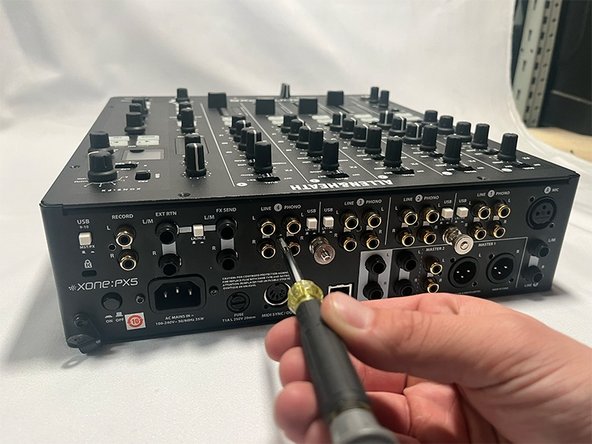
- Remove seven T8 screws that secure the back panel.
- Remove the remaining four screw nuts.
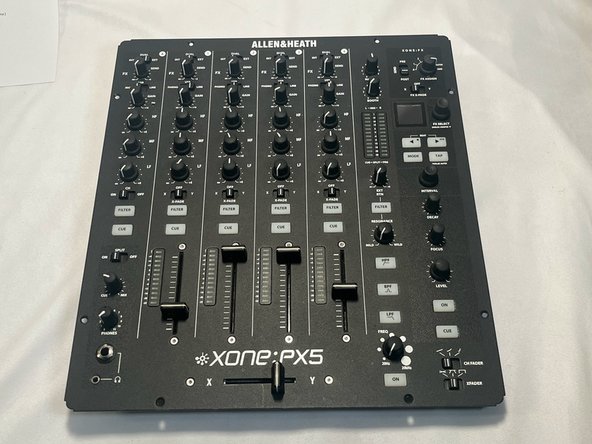
- Remove the eight T8 screws from the faceplate.
- Now the screws are removed, slightly lift the faceplate by gripping the bottom corner.
- Do not attempt to fully separate the face plate in this step.
- While holding the faceplate, remove the four grey flat harnesses connected by black plastic connectors.
- Remove one orange 'wire-form' by simply gripping and pulling up.
- Be sure to only remove flat harnesses by their plastic connectors.
- Pliers may be used to aid in the disconnection of harnesses.
- Carefully separate the faceplate from the chassis of the mixer.
- After removing the faceplate, place it face down on a clean surface.
- Disconnect the black "wire-form" that connects the cross-fader.
- Remove the "fader cap".
- Remove two T8 screws that secure the crossfader plate to the faceplate.
- Once removed, you can now slide the crossfader plate out from underneath.
- The crossfader plate contains the corssfader itself.
- To separate the cross fader from the plate, remove two more T8 screws.
- After removing these screws, you can now remove the plate from the crossfader circuit board.
- Once remove the defective fader, install the official Allen & Heath replacement crossfader in the bottom slider port.
- It is essential to install the new crossfader into the bottom slot.