Gourmia GAF536 Screen Circuit Board Replacement
ID: 167073
Description: This guide will provide the procedure required ...
Steps:
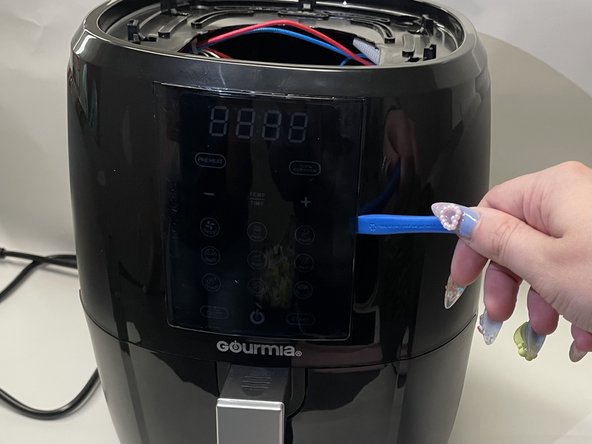
- Use blue opening tool to pry open one side of grey top
- If there is a loud pop, it is not broken.
- Pry open all four sides.
- Remove grey top.
- Make sure hat that your air-fryer is turned-off and unplugged to prevent electrical shock.
- Locate the internal tabs that hold the screen in place. (There should be 2 tabs on top, 2 tabs on the bottom, and 1 on each side.)
- Focus on the side tabs.
- Using your finger or the metal sludger, release the tab on the side.
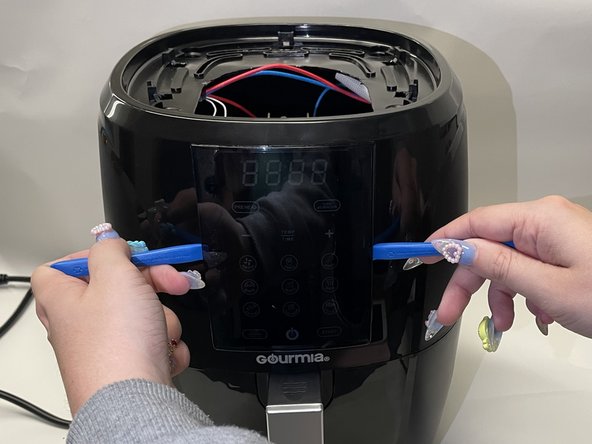
- Gently push the open side forward and place the blue opener into the gap from the front.
- Repeat this on the other side.
- Once both sides of the screen have a blue opener, the screen can be safely popped out.
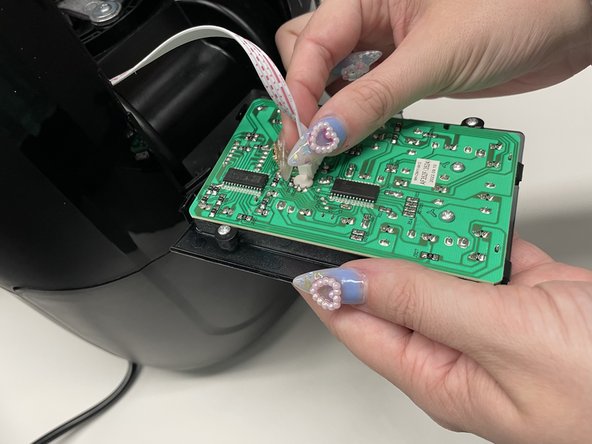
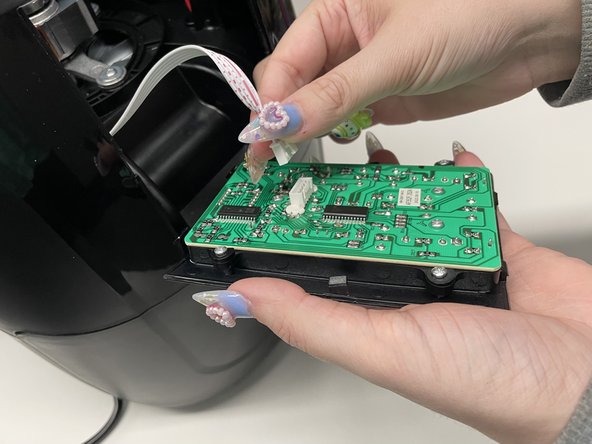
- Remove the cable connecting the circuit board to the air-fryer’s motherboard by gently pinching the tab on the side connected to the screen.
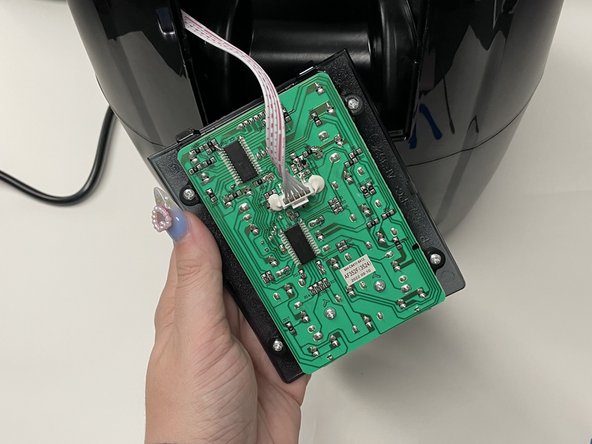
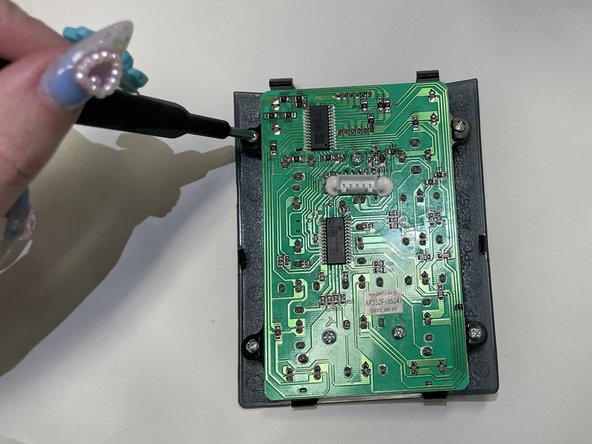
- Remove all of the screws that attach the circuit board to the display screen and casing.
- 7x PH 02 Screws: 5mm x 10 mm.
- The circuit board can now be detached from the display screen, removed from the plastic casing, and replaced.