Samsung UBD-K8500 Circuit Board Replacement
ID: 167116
Description: This guide will help you replace the circuit...
Steps:
- Remove the six 10 mm screws from the back of the unit using a Phillips #0 screwdriver.
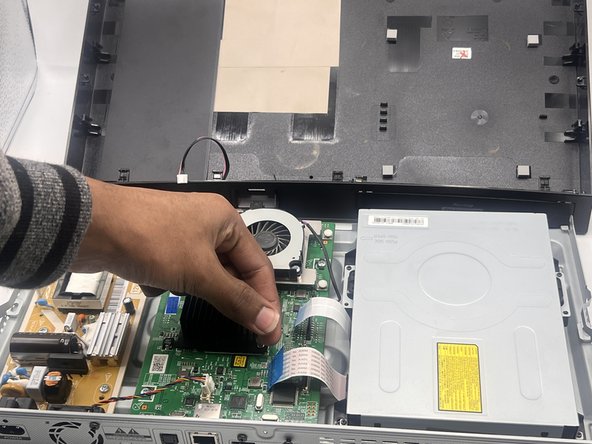
- Carefully lift up the top panel.
- There is a cables that must be disconnected before completely removing the panel.
- Detach the cable connecting the top panel to the motherboard.
- Take the top off and set it to the side.
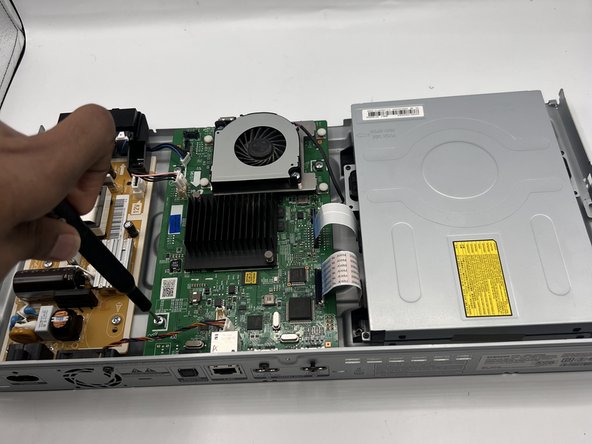
- Using your fingers, carefully pinch the clipping part of the four connectors and gently pull them out of their sockets.
- Gently pull out the two blue tabs of the ribbon connectors.
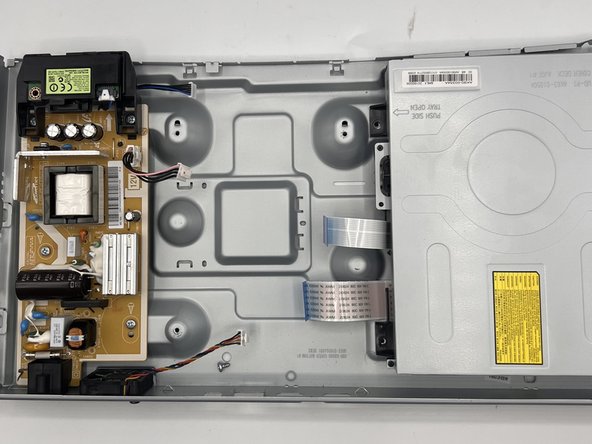
- Remove the three 7 mm screws from the circuit board using a Phillips #0 screwdriver.
- Gently pull out the circuit board.