ORFELD EV-660-S222 Brush Roller Attachment LED Board Replacement
ID: 167117
Description: If the LEDs in your ORFELD EV-600's brush...
Steps:
- Place the roller attachment bottom side up so you may access the brush.
- Apply pressure with the iFixit opening tool to the tabbed side of the orange cap to release the roller brush.
- Pull the roller brush from its socket one side at a time to remove it.
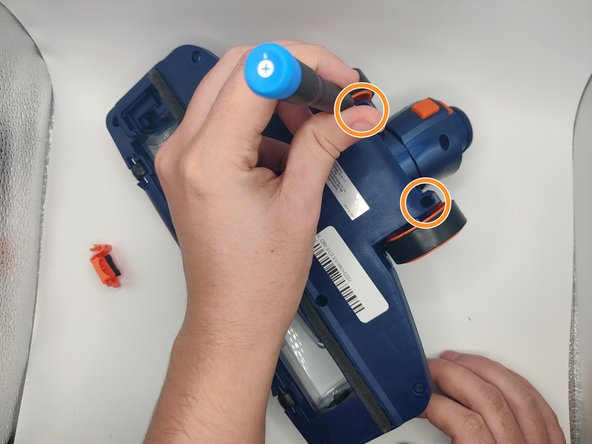
- Remove the 11.5 mm screws surrounding the roller brush divot using a Phillips #0 screwdriver.
- Remove the 11.5 mm screws located by the wheels using a Phillips #1 screwdriver.
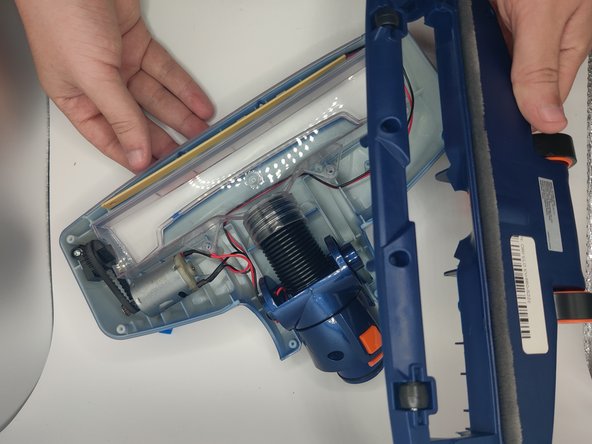
- Use the iFixit opening tool to pry the attachment open to pull the top free with your hands.
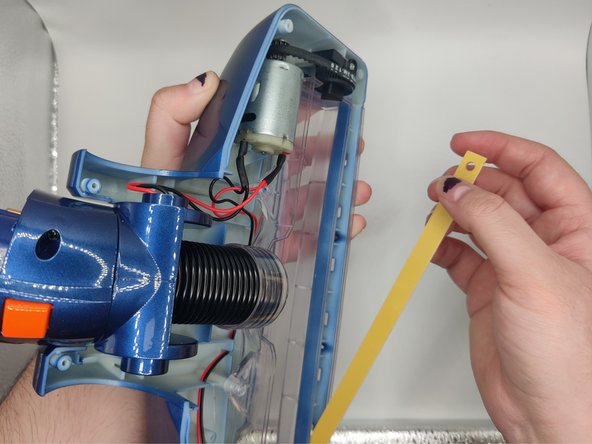
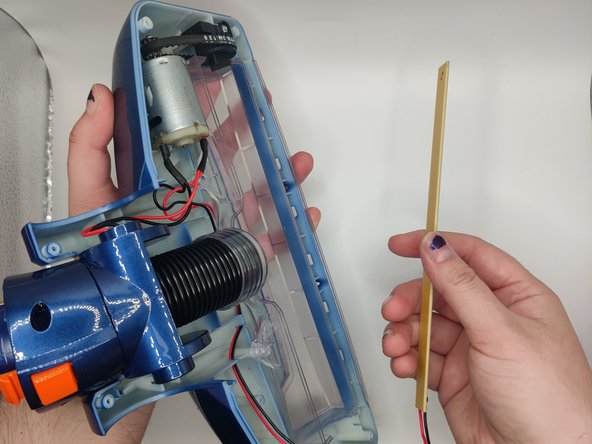
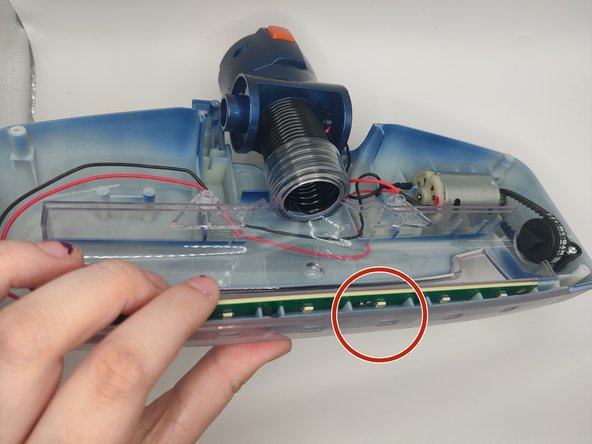
- Pull the LED strip out with your hands or tweezers as there is a small hole at the top of the strip.
- Use a soldering iron to remove the wires.
- Please take proper precautions during soldering and hold the wires you are soldering with tweezers.
- To solder the new board, make sure the red wire is on the LED side and the black one is on the side without LEDs.
- Gently insert the new board. Make sure the LEDs line up with the little squares on the front of the roller brush. If it does not insert properly on the first try, keep adjusting.