Kocaso M750B Speaker Replacement
ID: 167123
Description: This is an in-depth guide on how to replace the...
Steps:
- Pry the edges of the tablet apart using an iFixit opening tool.
- Insert a spudger into the mesh that holds the speaker.
- Press around the mesh lightly until the speaker comes loose.
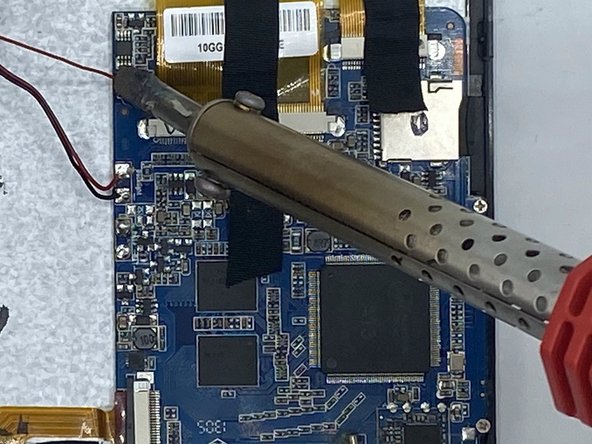
- Desolder the solder joints that connect the motherboard to the speaker.
- The solder joints are connected to one red and one black cable.
- When using the soldering iron, make sure to review the safety guidelines provided in the introduction. Work carefully and precisely to avoid any electrical discharge, puncture of the battery, or heating of the motherboard.