Sony Cyber-Shot DSC-W170 LCD Replacement
ID: 167127
Description: This guide will help you to replace the LCD on...
Steps:
- Be sure to remove the battery before performing this task.
- Remove the five 4 mm screws with a Phillips #000 screwdriver.
- Use an opening pick to pry the LCD panel open.
- Gently remove the LCD panel from the rest of the camera.
- Remove the three 4 mm screws with a Phillips #000 screwdriver.
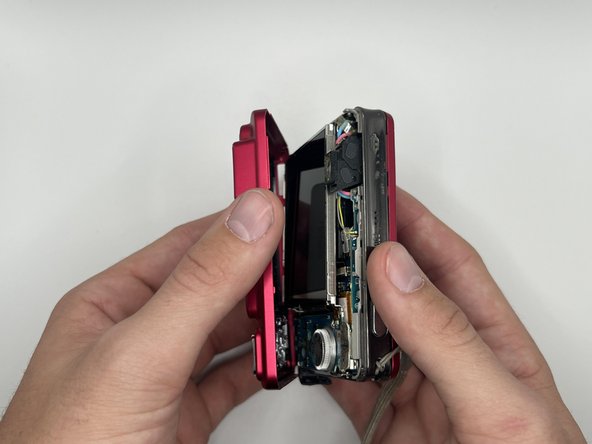
- Gently open the front panel and remove it from the rest of the camera.
- Remove the first side panel to the left of the LCD.
- Remove the 4 mm screw from the other side panel to the right of the LCD with a Phillips #000 screwdriver.
- Gently, lift the LCD and carefully open the camera to disconnect the LCD ribbon cable from the motherboard.
- Gently push the connector through the hole to separate the LCD from the metal casing.