HP 14-an012nr Daughterboard Replacement
ID: 167133
Description:
Steps:
- Remove the battery by sliding both sliders inward.
- Remove the eight 6 mm screws from the back panel using a Phillips #1 screwdriver.
- Remove the rubber pads from the upper corners of the laptop to reveal two screws on each side.
- Remove six 4 mm screws using a Phillips #1 screwdriver.
- Pry the back panel off using an opening tool, working your way around the edges.
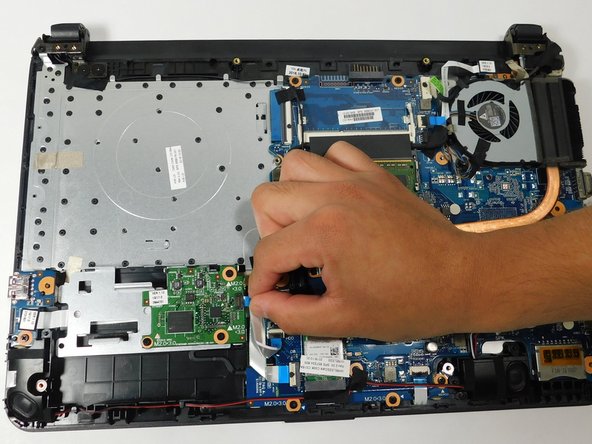
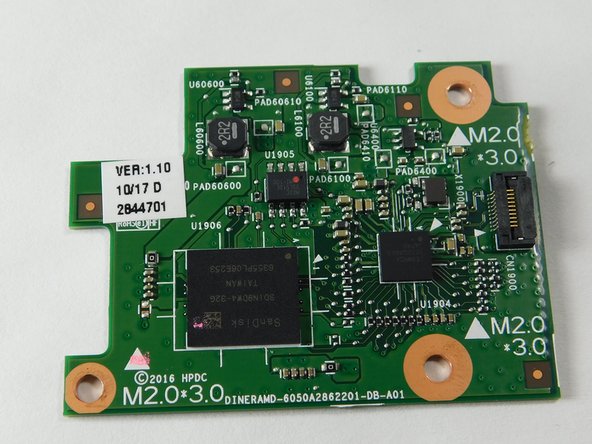
- Remove the three 4 mm screws holding the daughterboard down using a Phillips #00 screwdriver.
- Remove the ribbon cable by gently pressing on the blue tab and pulling on the plastic reinforcement at the end of the cable.
- Be careful when removing the cable as pulling with too much force can damage both the cable and connector.
- Remove the daughterboard.