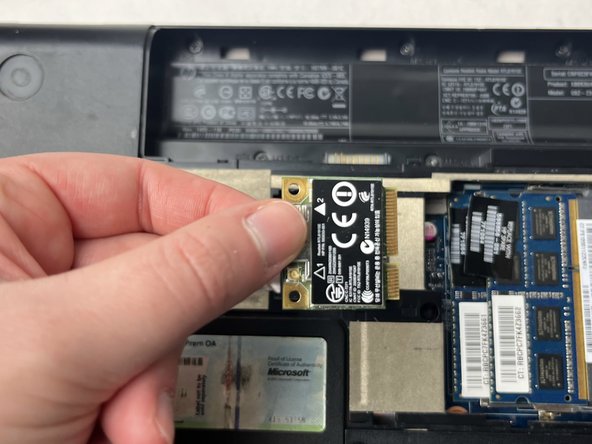
HP G62-234DX Wi-Fi Card Replacement
ID: 167169
Description: If your HP G62-234DX laptop is not connecting...
Steps:
- Make sure the computer is turned off and disconnected from a charger.
- Place your laptop on a clean, flat surface with the bottom facing up.
- Slide the battery lock to the left.
- Slide the battery out from the laptop while holding the lock to the left.
- Remove the battery.
- Use a Phillips #0 screwdriver to remove the three 6.0 mm screws.
- The screws that are attached to the panel do not need to be removed completely.
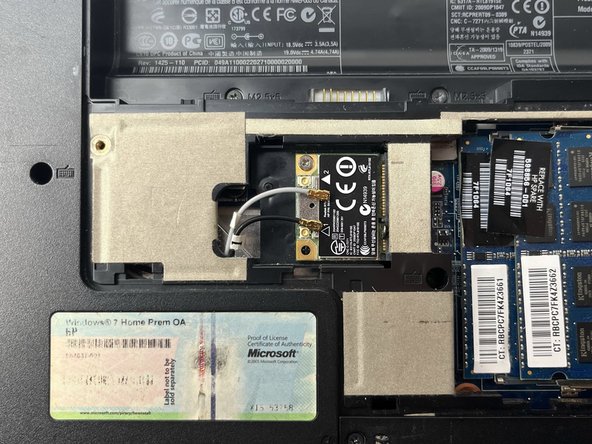
- Remove the back panel to access the Wi-Fi card.
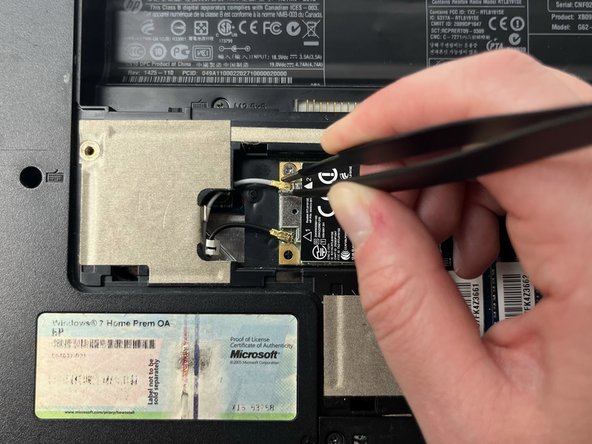
- Slide a thin, ESD-safe pry tool or tweezers under the wire until it's snug against the connector, and pry straight up from the board to disconnect the coaxial cables from the Wi-Fi card.
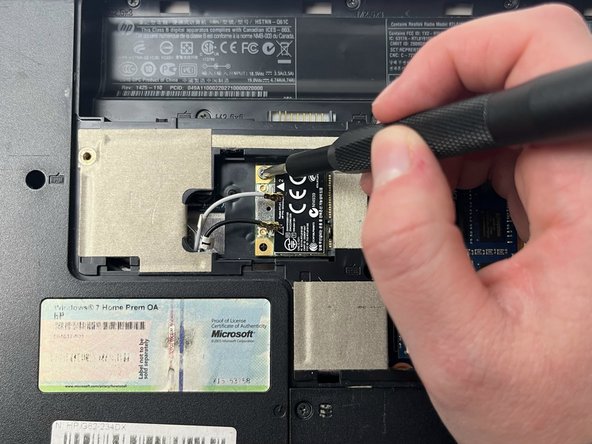
- Use a Phillips #0 screwdriver to remove the 3.0 mm screw from the Wi-Fi card.
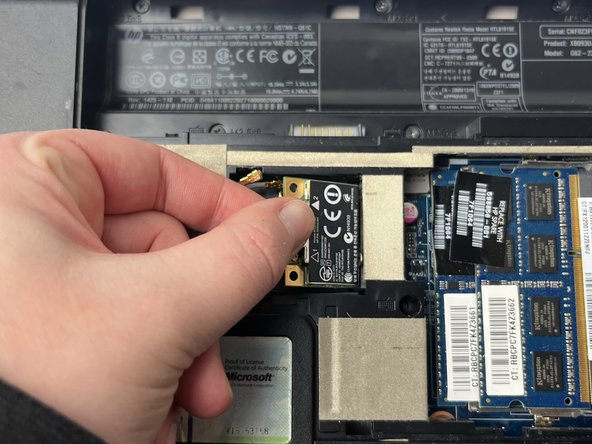
- When the screw is removed the card will pop up at a 45-degree angle.
- Remove the Wi-Fi card by sliding it out from the socket.