Lenovo IdeaPad 5 15ITL05 Battery Replacement
ID: 167175
Description: Use this guide to remove or replace the battery...
Steps:
- Use a T5 Torx driver to remove nine screws securing the back cover.
- The three screws on the hinge side will be longer.
- The back cover is held on by plastic tabs around the entire perimeter of the cover.
- Use plastic pry tools at the seam. I like to start near the hinge.
- Once all the tabs are loose, you will be able to remove the cover.
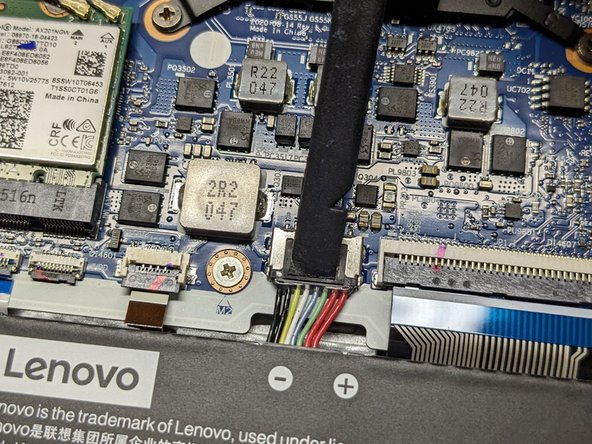
- Use the flat end of a spudger to push the square tab on the battery connector and slide it out of its socket.
- Use a Phillips screwdriver to remove the four screws securing the battery.
- Note: Two of the screws on the left in the image will also hold in the SATA drive bracket.
- Remove the battery.