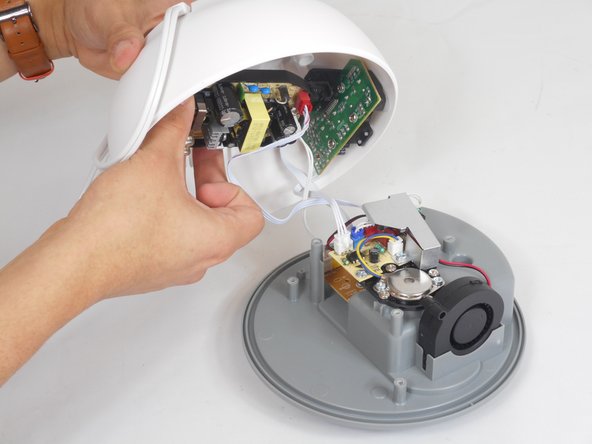
HoMedics TotalComfort UHE-CM18 Fan Replacement
ID: 167176
Description: If your humidifier is making loud noises or is...
Steps:
- Lift up the water tank and separate it from the humidifier.
- Flip the humidifier over to its underside.
- Use the Phillips #1 screwdriver to remove the two 7 mm screws that secure the AC power plug.
- Remove the AC power plug cover.
- Remove the remaining four 7 mm screws that hold the bottom cover.
- Remove the bottom cover.
- Remove the 7 mm screw that secures the metal cover for the fan cable.
- Remove the metal cover.
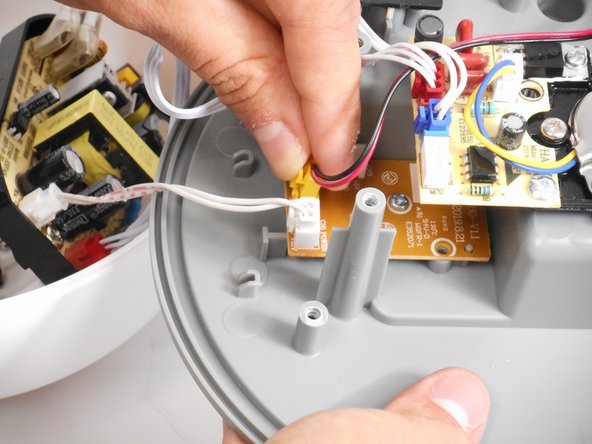
- Disconnect the fan cable from the circuit board by pushing down the center at the end and pulling it out of its socket.
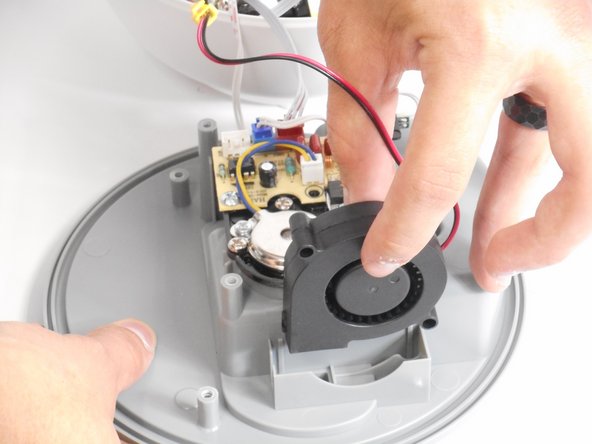
- Remove the fan.