Cobra MR HH350 FLT Screen Replacement
ID: 167289
Description: Here is your quick guide to removing the screen...
Steps:
- Remove the 11mm screw at the bottom of the radio with a #4 flathead screwdriver.
- Remove the battery from the radio.
- Remove the 6 rubber stoppers using tweezers to reveal screws.
- Remove the 6 10mm screws that were behind the rubber stoppers with a #0 Phillips screwdriver.
- Remove the cover to expose the motherboard.
- Pull off the power nob at the top of the radio.
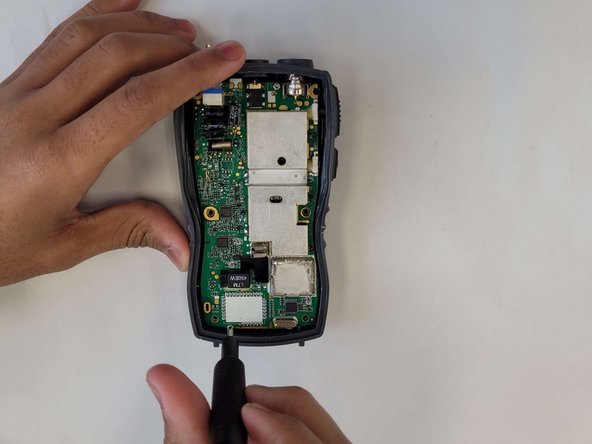
- Remove the 2 6mm screws on the motherboard with a #0 Phillips screwdriver.
- Remove the motherboard.
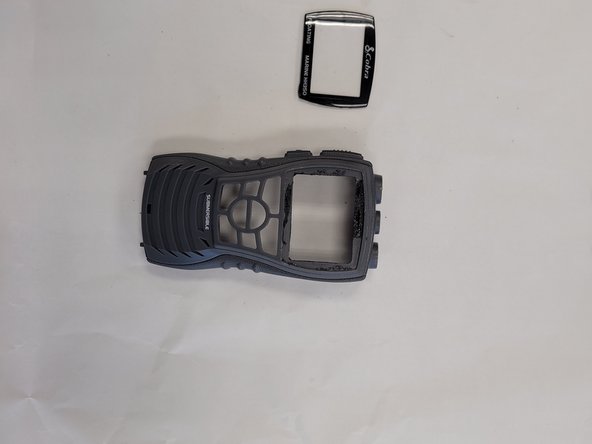
- Now that the motherboard is gone, the back of the screen is now accessible.
- To remove the screen, you need to use the Jimmy in the IFIXIT tool kit. It may take some time due to the epoxy used to keep water from entering the device.