MacBook Pro 16" Late 2023 Battery Replacement
ID: 167345
Description: Use this guide to replace the battery, after...
Steps:
- Use a 5IP Torx Plus driver to remove the two screws securing the battery board:
- One 4.5 mm screw
- One 3.8 mm screw
- There are 14 total stretch release adhesive strips that secure the battery to the frame:
- There are eight adhesive strips that are accessed from the bottom of the device.
- There are six more adhesive strips accessed from the trackpad's location on the frame.
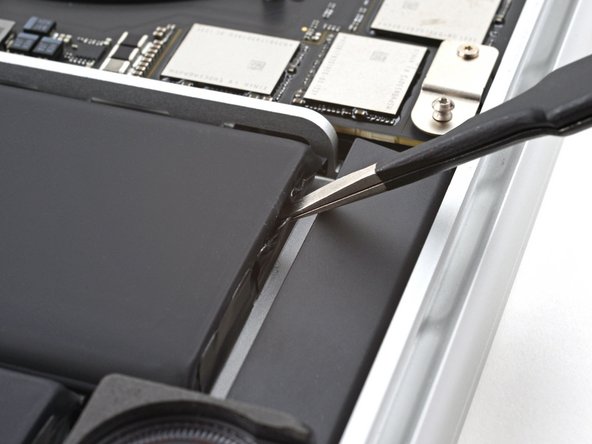
- Use tweezers, or your fingers, to grasp the black pull-tab on one of the adhesive strips.
- Pull the strip out slowly and steadily at a low angle. Give it plenty of time to stretch and un-stick from under the battery.
- If the adhesive strip breaks off, try to retrieve it using your fingers or blunt tweezers, and continue pulling—but do not pry under the battery.
- Repeat the process for all 14 stretch release adhesive strips.
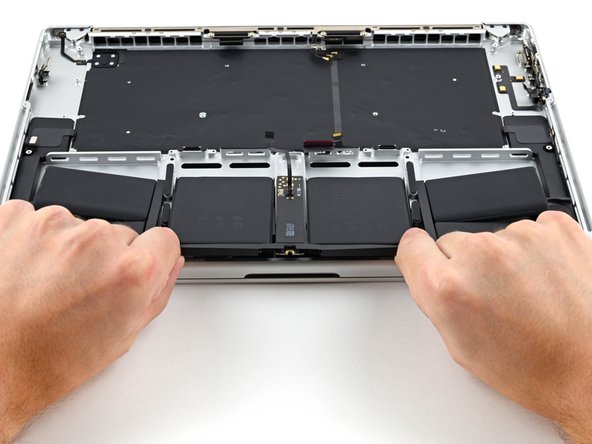
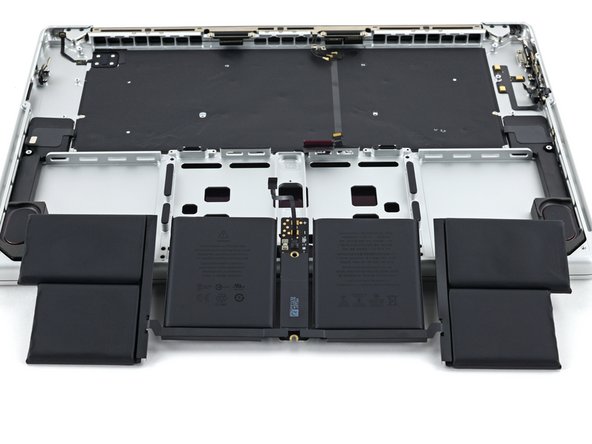
- Slide the battery out of the frame to remove it.
- During reassembly, apply new stretch-release adhesive to your battery and press each cell into place.
- Alternatively, you may use strong double-sided tape such as Tesa Tape to secure the battery.