JBL Charge 5 Speakers Replacement
ID: 167363
Description: Welcome to our guide for replacing speakers on ...
Steps:
- Ensure that the device is fully powered off and no cables are attached before proceeding with the repair.
- This fabric cover is secured with plastic clips only. Depending on the model, the cover may be secured by both plastic clips and screws.
- Insert the flat end of the Jimmy into the seam located between the fabric cover on the right side of the seam.
- Pry upward on the fabric cover to release plastic clips on the right side of the seam.
- Insert the flat end of the Jimmy into the seam between the fabric cover at the center of the seam and the left side of the seam.
- Use the Jimmy to pry open the edge with the rubber texture, releasing the remaining plastic clips.
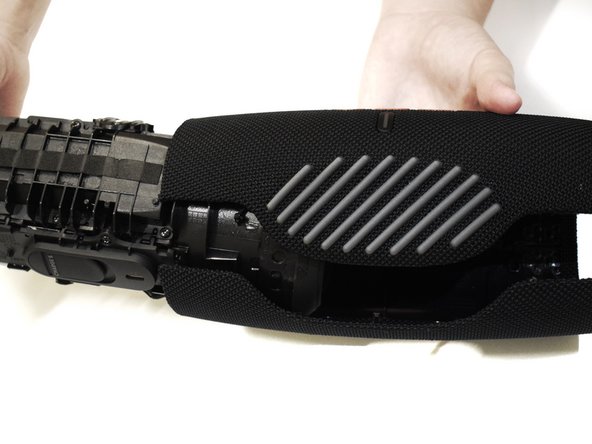
- Use your hands to gently open the two halves of the casing and slide the fabric cover off of the interior housing.
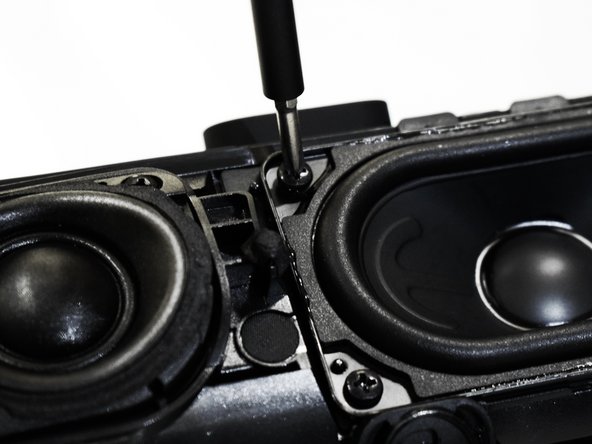
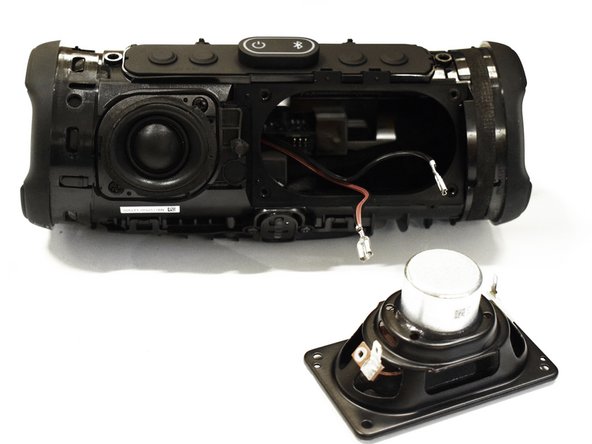
- Using a Phillips #1 screwdriver, remove the four 16.5 mm screws on the corners around the oval speaker.
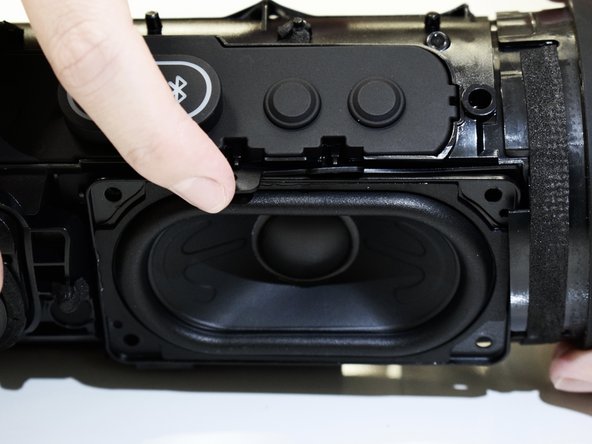
- Gently use your hands to undo the flaps located at the top of the speaker.
- Grip the speaker on the top and bottom left of the square platform.
- Gently remove the speaker from the casing.
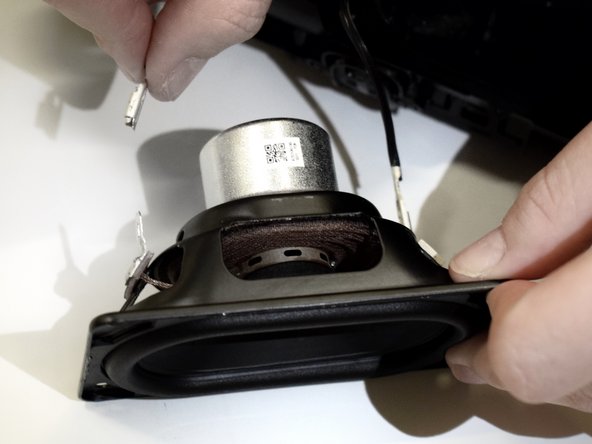
- Be careful of the wires attached to the back of the speaker when removing.
- Holding the speaker firmly in place, gently remove the red wire from the speaker by pinching it at the silver base near the connection and pulling.
- Repeat the previous step for the black wire.
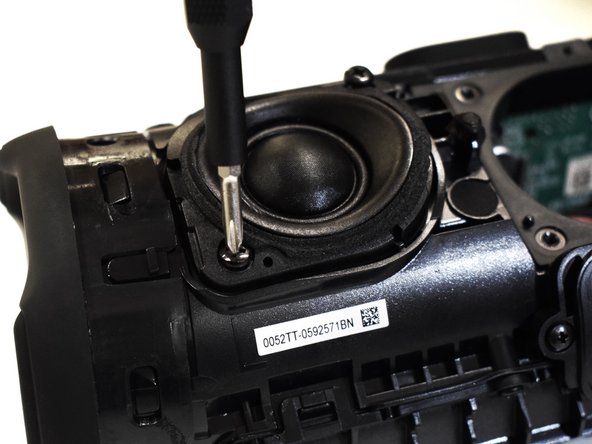
- Using a Phillips #1 screwdriver, remove the two 16.5 mm screws in the small round speaker's top right and bottom left corners.
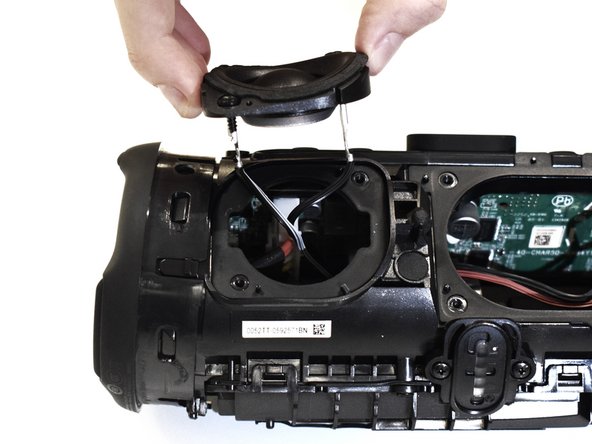
- Gently use your hands to grip the speaker and remove it from the device.
- Be careful of the wires attached to the back of the speaker when removing.
- Pinch the white wire gently at the silver base near the connection.
- Carefully disconnect the wire from the speaker by pulling it.
- Repeat the previous steps for the black wire.
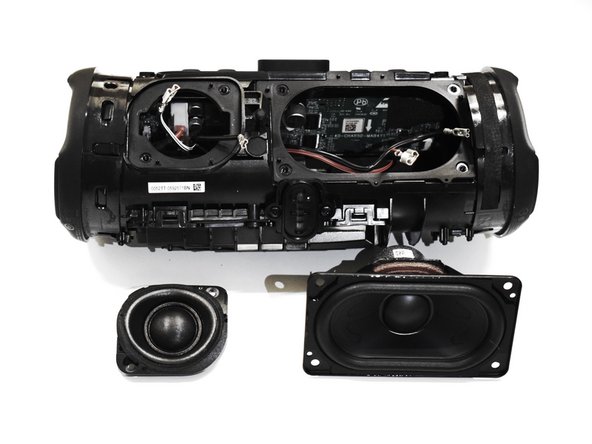
- Both speakers should be properly detached.