Sennheiser Momentum Wireless M2 AEBT Charging Port/Volume Control Replacement
ID: 167788
Description: If the headphones will not accept a charge from...
Steps:
- Grab the earmuff with one hand and hold the headphones with the other.
- Pull the earmuff near the top until the seam starts to pull from the split in the headphone case. Continue until the earmuff fully separates from the headphones as shown.
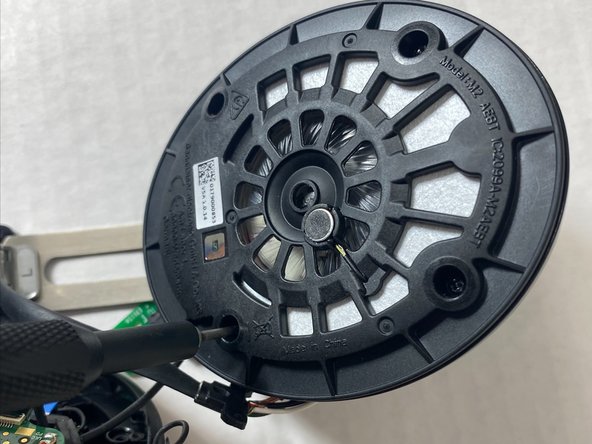
- After removing the muffs, the speaker cover must be removed by unscrewing 4 3mm Phillips screws using a #000 Phillips screwdriver.
- After locating the circuit board that contains the charging port as well as the volume control dial, Three 3 mm screws must be removed using a #000 phillips screwdriver.
- NOTE: Use caution lifting up the black clip, it is very fragile, especially on older headphones.
- Unplug the blue ribbon attaching the circuit board to the motherboard.
- The Ribbon cable is attached to the foam bridge, force may cause it to tear. Replacement cables are not available and will render the headphone useless if you tear it.
- Recommended steps.
- Unclip top connected first
- Unclip Bottom Connector
- Use a paperclip rounded end to push on the cable until the cable detaches from bottom connector.