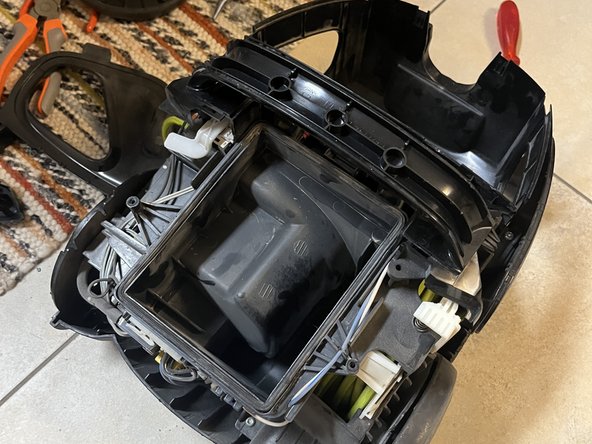
Opening the housing of an AEG Ultraperformer ÖKO
ID: 169187
Description: For me, opening the vacuum cleaner housing was...
Steps:
- First remove the hose by pressing the gray buttons and gently pulling forward.
- Then remove the dust bin by pulling it up.
- Remove the filter cover and the filter below it by gently pulling on the tabs provided for this purpose.
- Remove the front panel by carefully leveraging it with a flat-head screwdriver or a plectrum from above and then from the side.
- Remove the two Torx screws to the left and right of the hose clamp.
- Remove the power controller by levering with a screwdriver or a plectrum. Start on the long side. Once this is loose, the other should come off quite easily.
- Then remove the two Torx screws located under the controller.
- Remove the bezel. You may need to press the clips on the back to do this.
- Use a screwdriver or spudger to remove the I/O switch and the button for retracting the cable.
- The buttons are each held in place by three clips, which are located at the red marked points in pictures 2 and 3.
- The buttons are quite sturdy and did not get damaged even when levered firmly.
- Now you can start to loosen the housing cover.
- Start at the red marked points in the area of the hose attachment.
- Lift the housing further and separate the upper and lower handle halves using a pick or screwdriver.
- Now the rear part of the housing should also be easy to lift.