How to Fix a Faulty Button on a Mayflash F300
ID: 169428
Description: This guide will walk you through how you can...
Steps:
- Flip around the Mayflash F300, so that the metal panel is facing you.
- It may be helpful to place the device on a box if you cannot hold it, as the joystick would otherwise be under pressure.
- Unscrew the six 9 mm Phillips #00 screws that hold together the metal panel.
- Gently pry the panel away once it is unscrewed.
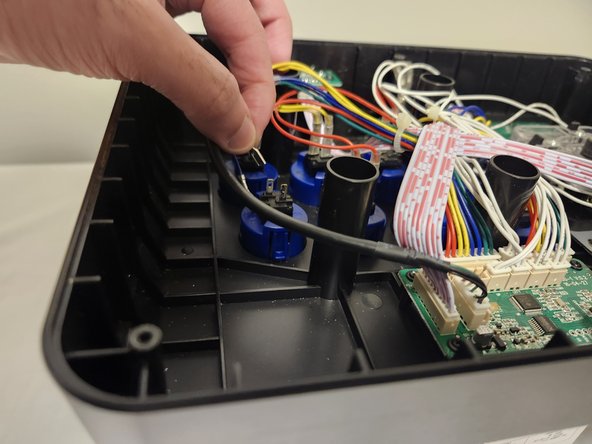
- Unplug the two cables going into the button you wish to clean or replace.
- These two cables can be quite stubborn to remove, so gently wiggling them as you pull will make it easier.
- Squeeze the two tabs that are on either side of the button and push it out.
- Grab your toothbrush and clean out all the dirt you may find inside and around the button.
- Alternatively, if you wish to install an entirely new button, you can simply set aside the old one.
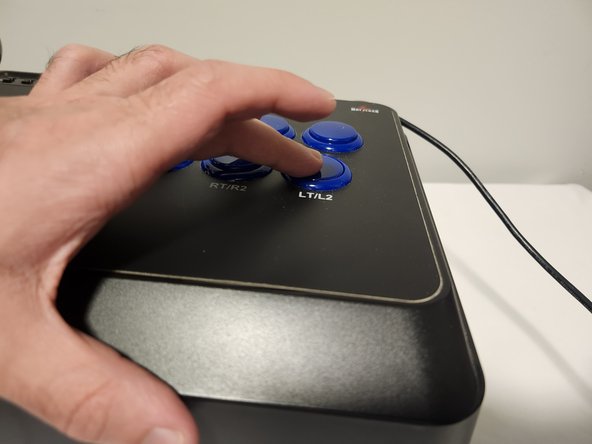
- With your button now clean and ready to go, place it in the empty slot and push it back down. Make sure it snaps in place.
- Reconnect the two cables to the button.
- Take the back panel of the arcade stick and screw it back in place.