Razer Blade 2014 Battery Replacement
ID: 169768
Description: This guide is to help teach anyone in need of...
Steps:
- Use a P2 Pentalobe screwdriver to remove the ten screws on the laptop's backplate.
- Squeeze the sides of the backplate with your hands and lift up the backplate.
- Use a Phillips #00 screwdriver to remove the five screws from the battery.
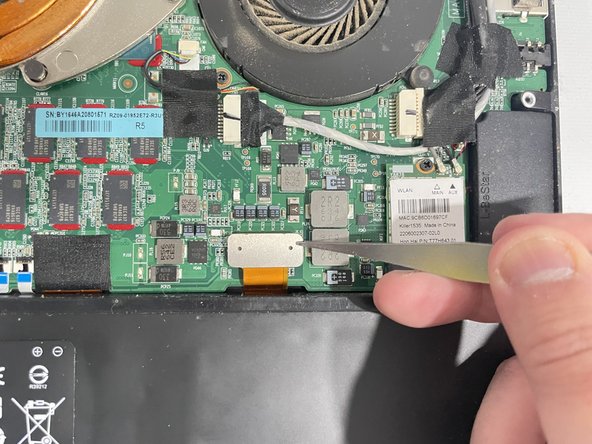
- Use tweezers to detach the silver connector that is attached to the battery with an orange cable.
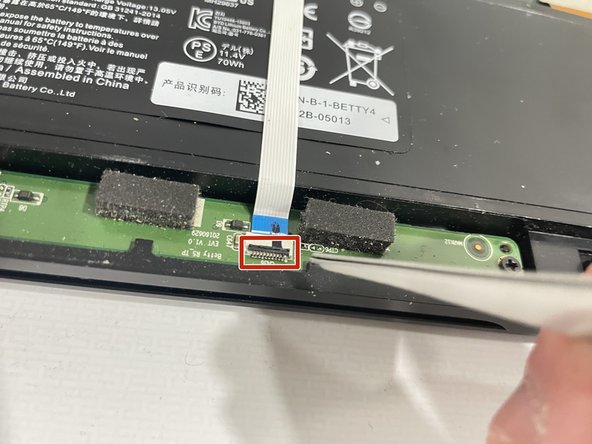
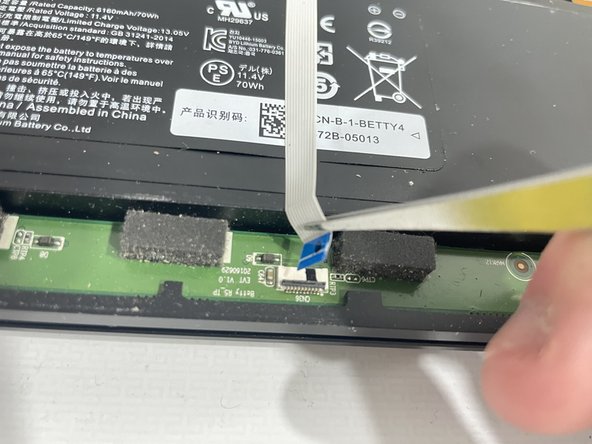
- Make sure the black cable retaining flap has been completely lifted upwards before pulling the blue cable outwards.
- Use tweezers to gently lift the retaining flap upwards.
- Use tweezers to gently pull the white cable outward.
- Take out the old battery and place the new one in the position of the 5 screw holes.