Sceptre 4K IPS 27" Monitor Button Board Replacement
ID: 169780
Description: Follow this guide to replace a broken or faulty...
Steps:
- Flip the device, and put the back of the screen towards yourself.
- Use a soft surface to prevent damage to the screen.
- Remove the seven screws using a Phillips #00 screwdriver.
- There are four screws on the back panel and three screws on the bottom of the screen.
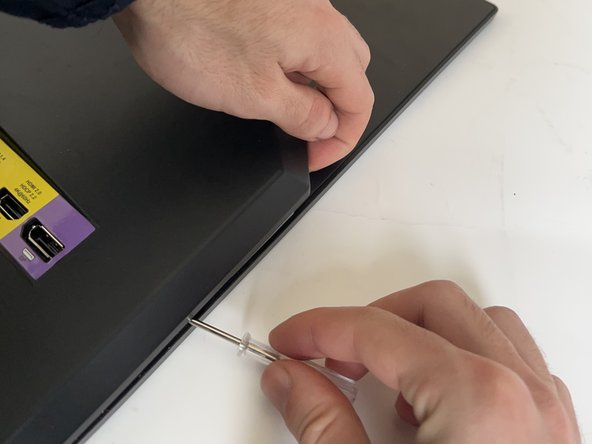
- Hook the tip of the screwdriver in the right corner of the back case. Try to pull up the part by your hand while inserting the tip of the screwdriver.
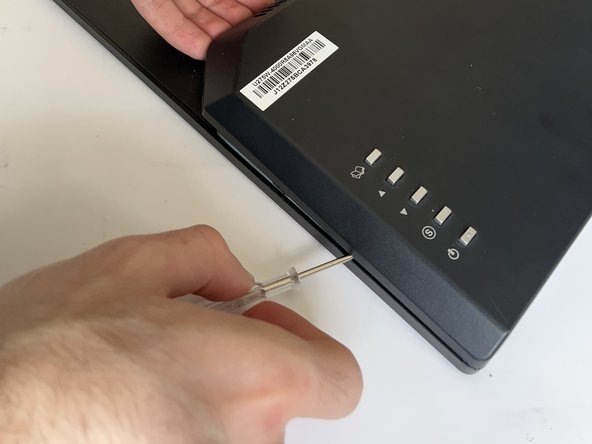
- Once the tip of the screwdriver is inside the corner, gently slide down the screwdriver to detach the right side of the back case from the screen.
- Do the same as the previous step with the left corner to detach the left part of the back case from the screen.
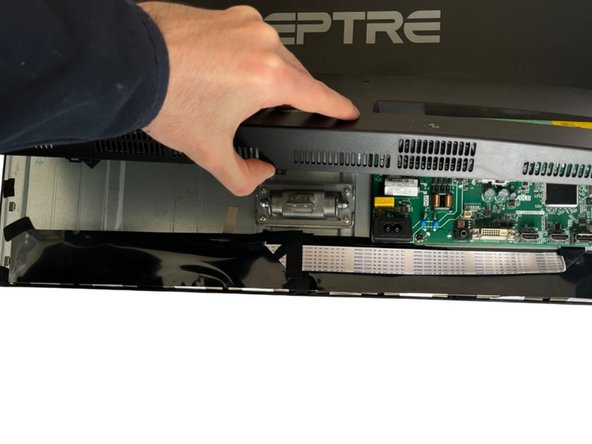
- Open the back case of the screen.
- In the back of the case you will see the control buttons' board.
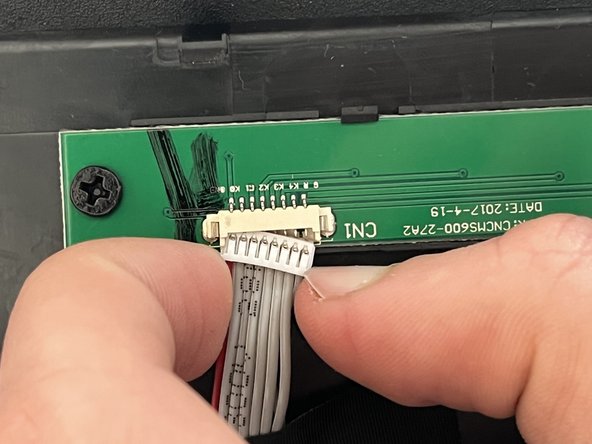
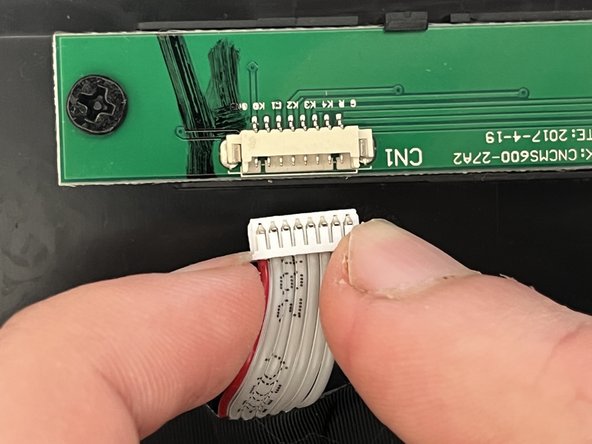
- Disconnect the wire connection by pulling out the wire from the board.
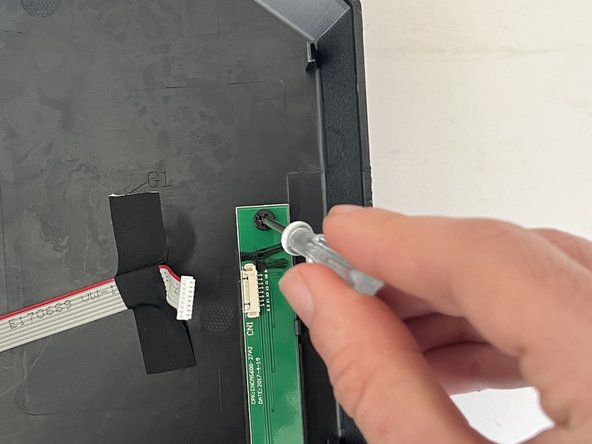
- Remove the two screws from the board using a Phillips #00 screwdriver.
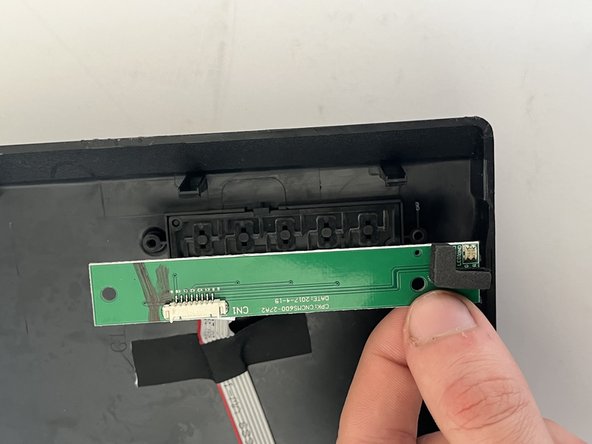
- Remove the control button board from the device.