Acer Chromebook R841T-S4ZG Touchpad Replacement
ID: 170569
Description: Here the replacement guide for the touchpad. If...
Steps:
- Unscrew the 12 back screws, circled in red. The top 8 screws are 4.90mm x 5.71mm.
- The 4 screws on the bottom are 4.81mm x 4.6mm.
- Pry the casing off by running a thin tool, like an opening pick, between the over and the sides
- Remove the battery by lifting up the clip over the battery's cord and then gently pulling the cord out of its socket
- Lift up the ribbon cord attaching the track pad to the motherboard
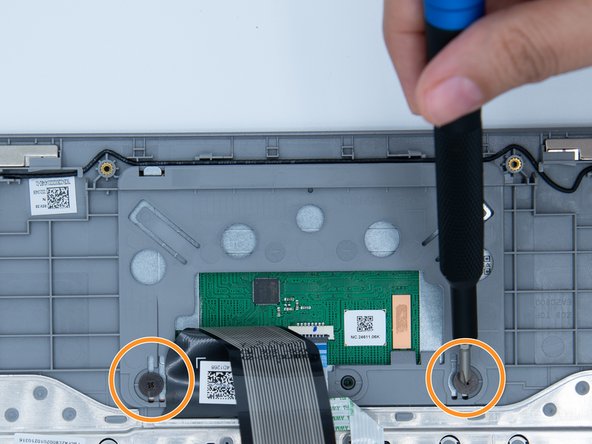
- Unscrew the two screws holding the trackpad to the casing
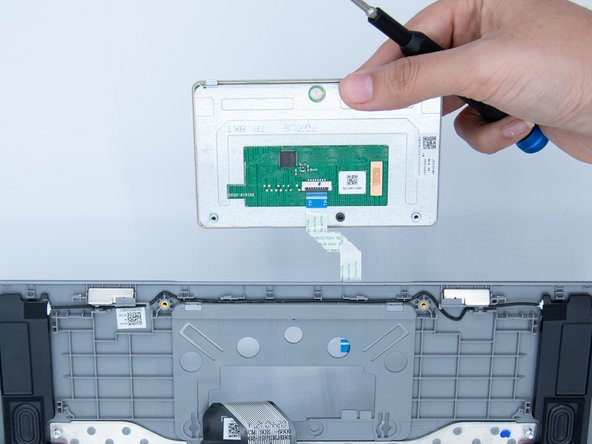
- Carefully lift the track pad out. It has small teeth that hook unto the casing. It is important to get those lined up and seated properly when putting back together