Lenovo Ideapad 320-17IKB RAM Replacement
ID: 170651
Description: This guide will show you how to replace the RAM...
Steps:
- Turn off and unplug the computer.
- Flip the laptop over so that the back panel is facing upwards.
- Remove fourteen 7mm Phillips #00 screws from the back panel.
- Carefully remove the optical drive by pulling the bezel away from the laptop.
- Use your fingers or an opening tool to gently remove the back panel from the bottom of the laptop.
- Lay both sides of the laptop next to each other.
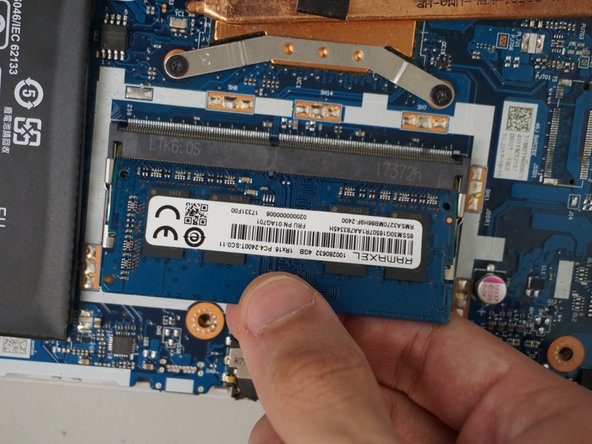
- The RAM is located on the right side of the motherboard above the battery.
- Using your fingers, pull the metal arms (located on both sides of the RAM stick) slightly away from it to release the RAM stick.
- The RAM stick will pop up by a few millimeters.
- Remove it at an angle and not straight up so you don't damage the socket.
- Slide the RAM stick out from the memory module slot.
- When installing new RAM, slide it into the port at the same angle it was removed and press down until it clicks into place.