HP 15-dy2024nr Display Assembly Replacement
ID: 170658
Description: This guide will show you how to replace the...
Steps:
- Peel the inner edge of the bezel using an opening tool and gently snap both edges away from the glass.
- Go around the perimeter and begin snapping the tabs underneath.
- Use the opening tool to unsnap the bezel along the hinge cover.
- Close the laptop and turn it sideways.
- Separate the bezel along the bottom edge using the opening tool.
- Remove the bezel and place it aside.
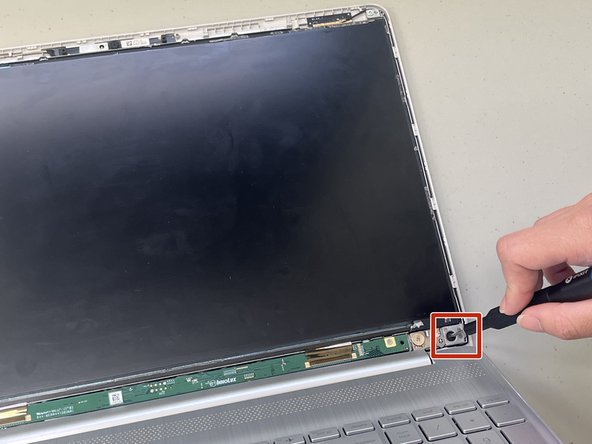
- Remove the 1.8 mm screws from the top and bottom corners of the screen using a Phillips #1 screwdriver.
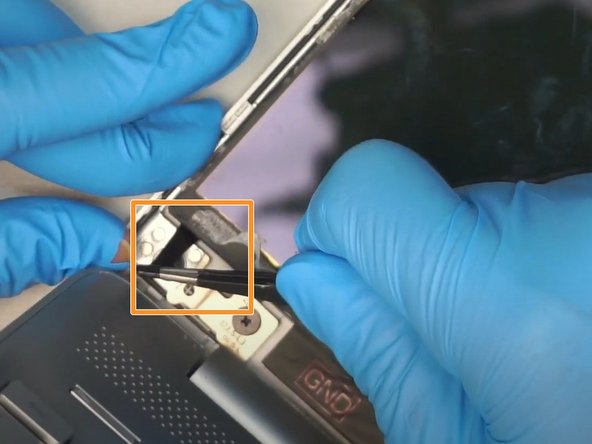
- Use a pair of tweezers to pull out the adhesive tape from the bottom left and right corners of the screen.
- Remove the LCD and gently place it on the keyboard with both hands.
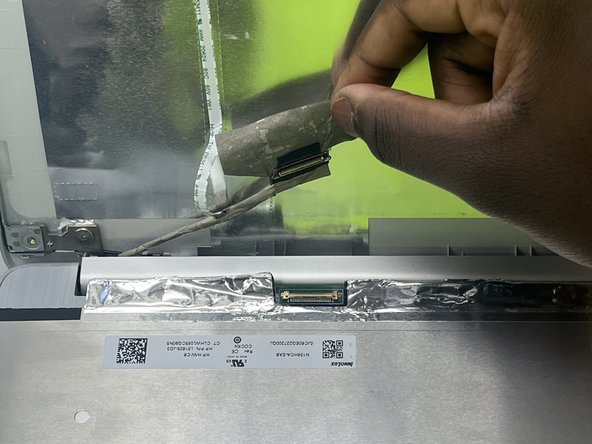
- Gently peel off the tape securing the video connector.
- Disconnect the video cable.
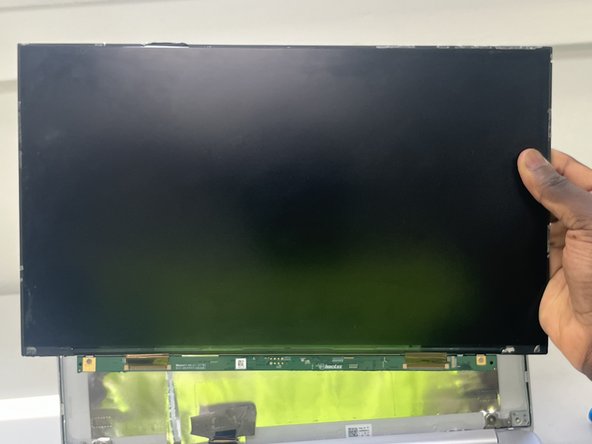
- Remove the old screen.