Tineco FLOOR ONE S3 Breeze Battery Replacement
ID: 171828
Description: The Tineco FLOOR ONE S3 Breeze (model no....
Steps:
- Remove six 10.6 mm screws from the back of the vacuum with a Phillips #1 screwdriver.
- Remove the entire back piece.
- Remove four 10.6 mm screws from the remaining white back piece with a Phillips #1 screwdriver.
- Pry open and remove the black ring at the top of the vacuum using by using an opening tool.
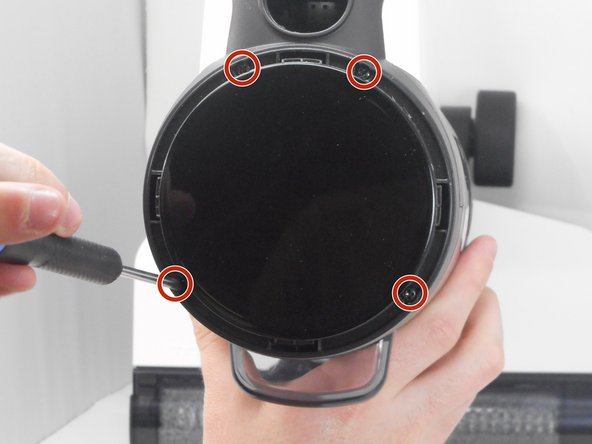
- Remove four 10.6 mm screws located underneath the previously pried ring using a Phillips #1 screwdriver.
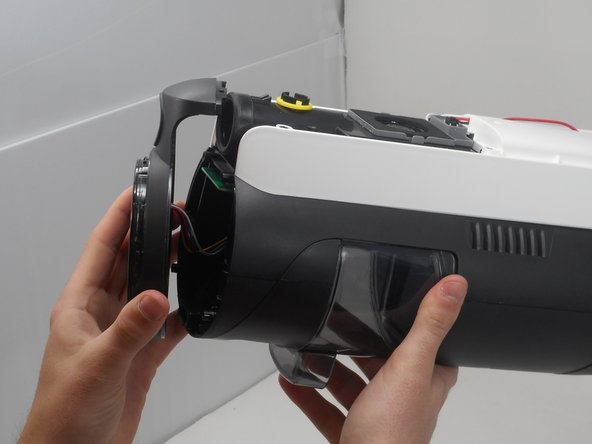
- Remove the top circular piece from the body of the vacuum.
- Remove the white back piece of the vacuum.
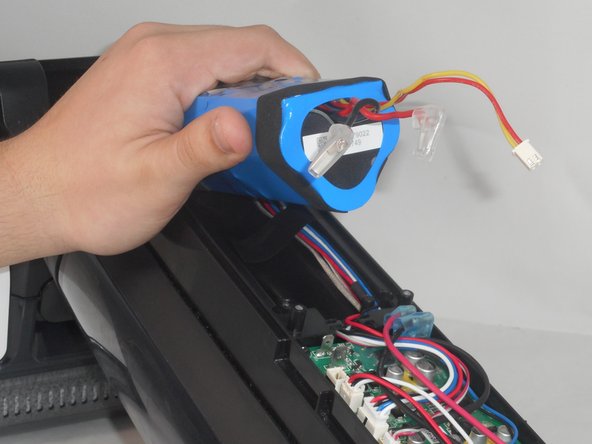
- Unplug the wires of the battery by carefully pulling them up from the motherboard.
- Slide the battery out of its slot and replace it with the new battery.
- The connection may be difficult to remove. Be careful not to rip the entire connector from the motherboard.