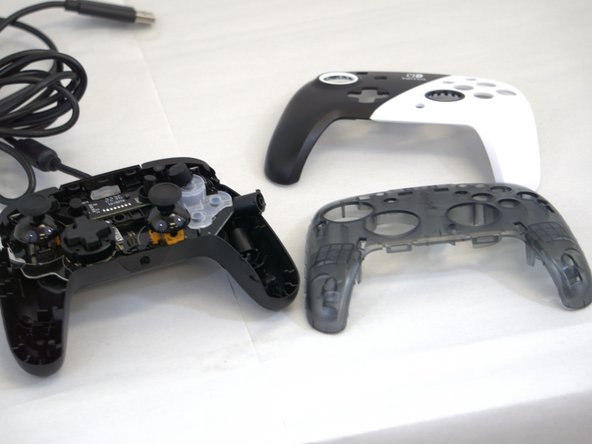
PDP Rematch Cable Replacement
ID: 171897
Description: Disconnection of the cable from the motherboard...
Steps:
- Grip one side of the controller firmly.
- Insert an opening pick into the crease between the faceplate and the body of the controller.
- Once the pick creates a gap in the crease, gently insert another pick into a different section of the crease.
- Carefully move the picks along the controller's crease line until you hear a popping sound.
- Gently lift off the faceplate by hand.
- Remove the 8 mm screws from the hard cover using a JIS #00 screwdriver.
- Since the screws have been removed, avoid shaking or moving your controller too much to prevent other buttons from falling out.
- Gently lift off the hard cover with your hand; it should not need much force.
- Remove the two screws on the motherboard with a JIS #000 screwdriver.
- Gently flip the motherboard up to see the other side.
- Remove the cable from its plug on the motherboard.
- This should give you room to carefully detach the Male Pitch Terminal Pin Header from the Female Terminal Pin.
- Take the new cable and thread it through the slot. The terminal block should fit loosely into the slot.
- Then, insert the Male Pitch Terminal Pin into the Female Terminal Pin.