Beats Solo 2 Wireless Motherboard Replacement
ID: 171907
Description: Use this guide to replace the motherboard in a...
Steps:
- Insert an opening pick in the seam between the left outer speaker casing and the speaker housing.
- Slide the pick around the perimeter of the casing until the outer casing releases entirely from the speaker housing.
- Failure to loosen the seams may result in the piece breaking partially or completely when removing.
- Remove the right outer casing with your hand.
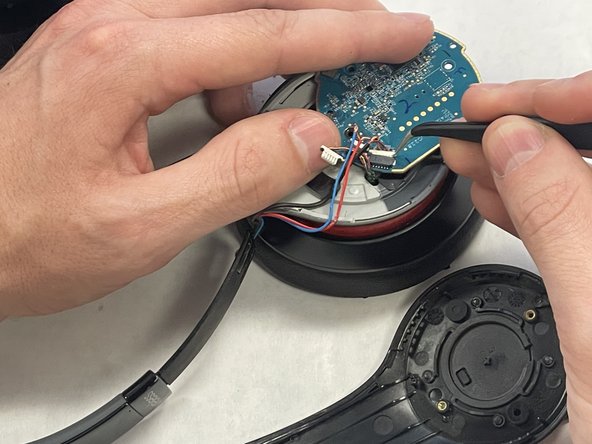
- Use tweezers to remove the tape from the motherboard.
- Loosen the wires from the casing with tweezers.
- The wires attached to the shell are pinched together in a piece of plastic that will be difficult to remove
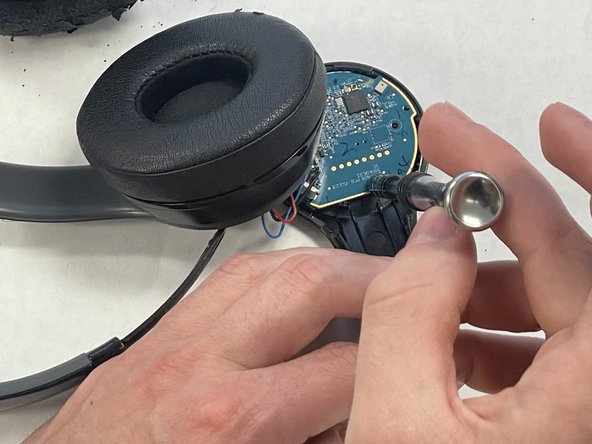
- Use a Phillips screwdriver to remove all four of the 4.25 mm screw that secure the motherboard.
- Disconnect all of the motherboard connectors.
- Do not pull on the wires.
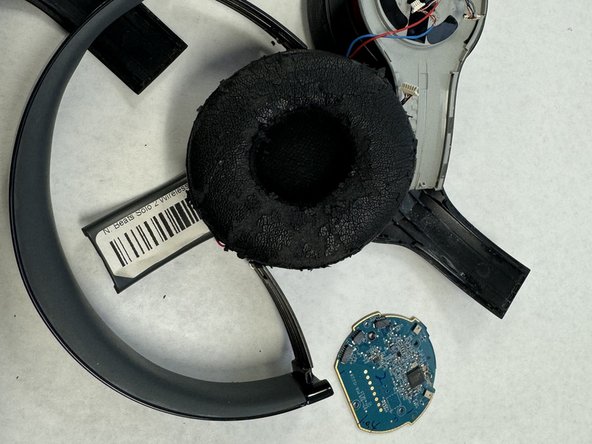
- Lift the motherboard up and out of the housing.