Philips Sonicare ProtectiveClean 6500 Power Button, Mode Button Replacement
ID: 171924
Description: The power button is a switch used to turn the...
Steps:
- Pry the bottom cap away from the toothbrush body.
- If it is not easy to open, these alternative instructions may help you.
- Pry the bottom cap away from the toothbrush body until it releases.
- Remove the bottom cap by hand.
- Use a metal spudger to release the two retaining clips inside the device.
- The clips release when pried inward.
- Slide the internal assembly out of the chassis.
- Locate the power button (solder locations circled in orange).
- Locate the mode button (solder locations circled in red).
- Both buttons are attached by four soldered pins each.
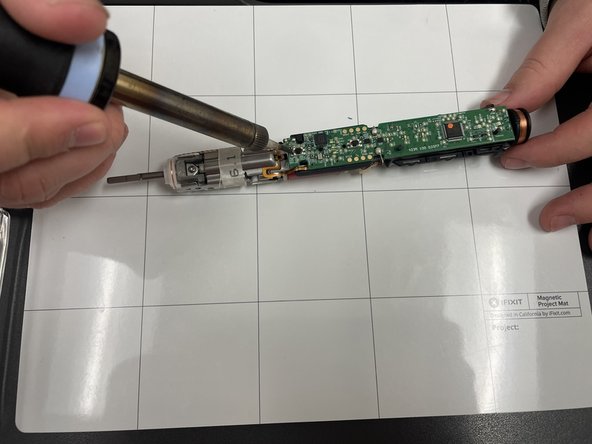
- Heat the soldering iron.
- Soldering can cause burns and fires. Always solder in a well-ventilated area.
- To test if the soldering iron is ready, place on the solder and if the solder melts easily and quickly, your soldering iron is ready.
- Use the soldering iron to desolder all of the connections.
- Use tweezers to remove the buttons from the board.
- Place new button onto board and repeat previous steps in reverse to reassemble.