EasySMX ESM-9110 Joystick Cover Replacement
ID: 171953
Description: This guide shows you how to replace the...
Steps:
- Use a Phillips #000 screwdriver to remove four 20 mm screws from the controller's faceplate.
- Use a Phillips #000 screwdriver (a screwdriver bit extension may be needed) to remove the two 20 mm screws from the controllers faceplate.
- Screw extender should only be used to unscrew two of the six screws. Do not use for all six.
- Remove the faceplate of the controller by lifting it directly up from the backplate.
- Be gentle. The controllers backplate is still attached to the faceplate.
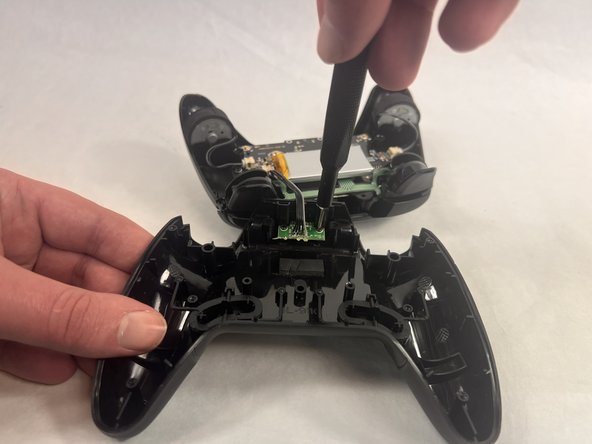
- Use a Phillips #000 screwdriver to remove the two 10 mm screws from the daughterboard off the backplate.
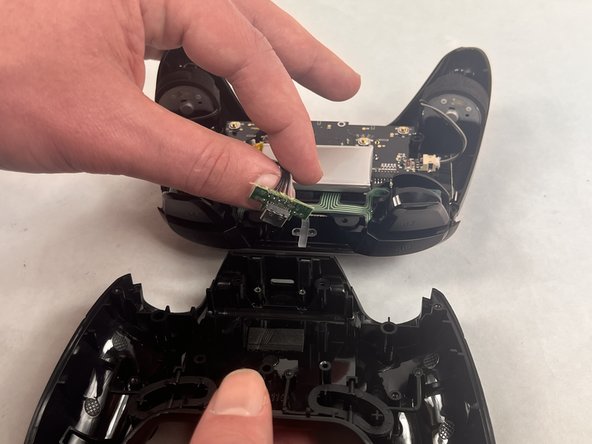
- Remove the daughterboard once screws are off.
- Be gentle when removing the daughterboard. The daughterboard is still attached to the faceplate.
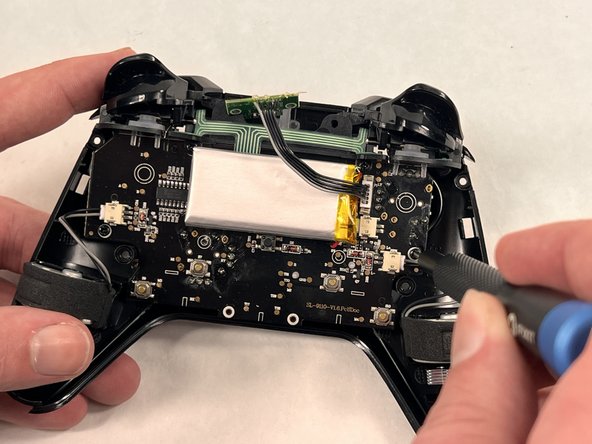
- Remove the four 10 mm Phillips screws from the motherboard.
- Be careful removing the motherboard as the trigger buttons are attached loosely and can be inconvenient.
- Remove the faulty joystick.
- Clean the joystick if it is dirty and causing stick drift.