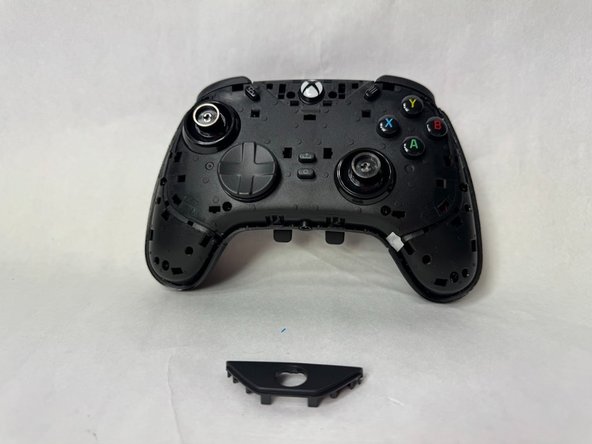
Razer Wolverine V2 Chroma RZ06-0401 Front Plates Replacement
ID: 172170
Description: If the front plates of your Razer Wolverine...
Steps:
- Using an opening tool, pry off the the outer front plate.
- It might take a bit of wiggling and time to loosen it and get it off.
- Once the front plate is loose, pull it off.
- Using an opening tool, pry off the the handle grips.
- It might take a bit of wiggling and time to loosen and get them off.
- Once they're loose, pull off the handle grip plates.
- Using an opening tool, pry off the Xbox logo plate.
- It might take a bit of wiggling and time to loosen it and get it off.
- Once it's loose, pull off the Xbox logo plate.