Samsung Galaxy A20 Charging Port Replacement
ID: 172179
Description: This guide gives instructions not only for...
Steps:
- Unplug and power off the device before beginning.
- Remove the SIM card and the SIM card tray.
- Use an iOpener or heat gun to warm the adhesive that secures the back cover.
- Insert an opening pick in the seam between the back cover and chassis while the adhesive is warm.
- Slide the pick around the entire perimeter.
- If you encounter notable resistance, reheat the adhesive. Do not attempt to sever cold adhesive.
- Remove the back cover.
- Remove all thirteen 3.6 mm Phillips screws that secure the midframe.
- Use an opening pick to pry up and lift out the midframe.
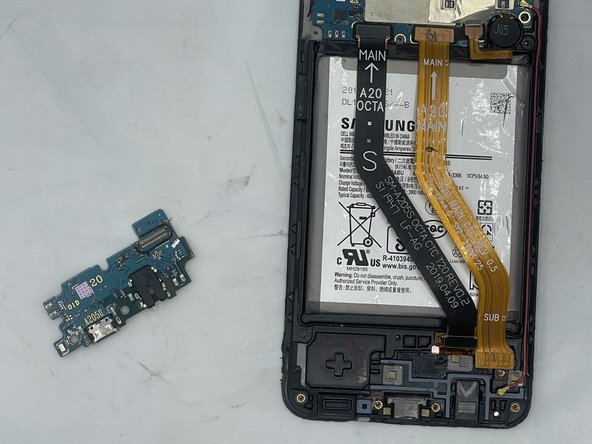
- Use an opening tool to gently pry up the press connectors on both ends of the two ribbon cables.
- Use an opening tool to gently pry up the press connectors on both ends of the two ribbon cables.
- Disconnect the red antenna cable from the I/O board.
- Use an opening pick to pry up and remove the I/O board.
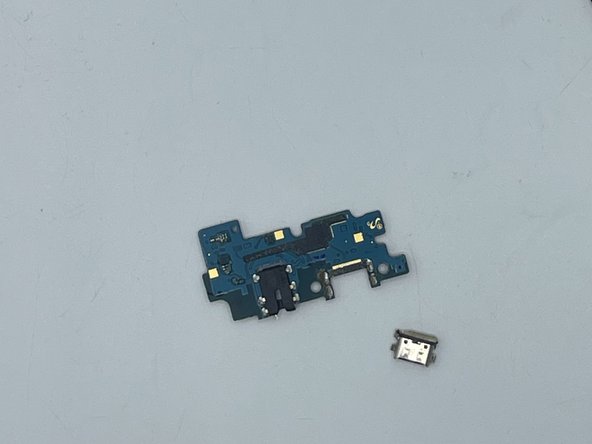
- Desolderthe charging port.
- Soldering can cause fires and burns. Always solder in a well-ventilated workspace.