Lenovo IdeaPad 1 14IGL7 Fan Replacement
ID: 172200
Description: This is a guide on how to replace the fan...
Steps:
- Power off your laptop before beginning disassembly.
- Place the computer upside down on a flat surface.
- Remove the nine 7 mm screws from the back panel using a Phillips #00 screwdriver.
- Insert an opening pick between the back panel and the body of the laptop.
- Pry up the latches around the back panel and remove the panel from the laptop.
- Remove the seven 5.5 mm screws that secure the fan using a Phillips #00 screwdriver.
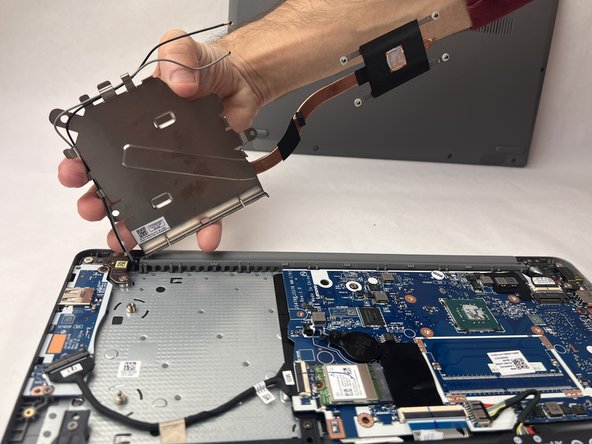
- Place your fingers on the perimeter of the fan and gently lift it away from the device.