Lenovo ThinkPad P1 Gen 7 Right Speaker Replacement
ID: 173505
Description: Use this guide to replace the right speaker in...
Steps:
- Shut down your laptop (don't just put it in sleep mode) and disconnect all cables.
- Flip the laptop upside-down, and rotate it so the screen hinge faces towards you.
- Use a Phillips screwdriver to loosen the six captive screws securing the base cover.
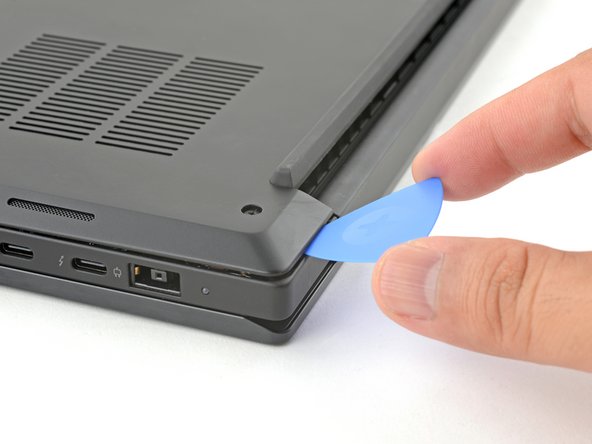
- Press the tip of an opening pick into the seam between the base cover and the bottom-left corner of the frame (near the screen hinge).
- It can be tricky to get the pick into the seam for the first time. Angle the pick vertically and press down with firm pressure.
- Pivot the pick down and slide it around the corner to release the clips.
- Slide the opening pick along the left edge to release the clips securing the cover.
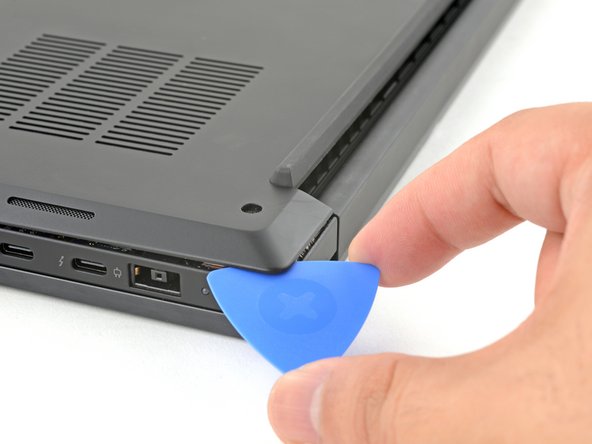
- Press the tip of an opening pick into the seam between the base cover and the bottom-right corner of the frame (near the screen hinge).
- Pivot the pick down and slide it around the corner to release the clips.
- Slide the opening pick along the right edge to release the clips securing the cover.
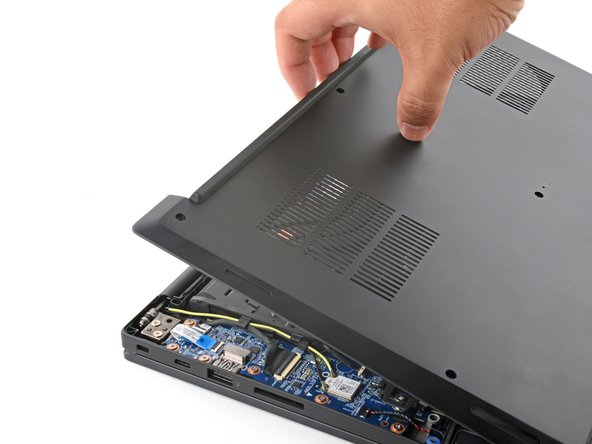
- Grasp the base cover along the screen hinge edge and pull up to loosen the cover.
- Lift and remove the base cover.
- Because of the battery connector's design, the only way to disconnect the battery is by physically removing it.
- Use a Phillips screwdriver to loosen the six captive screws securing the battery.
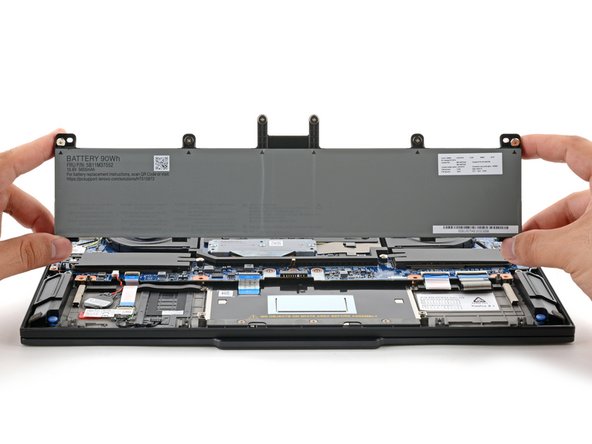
- Grasp the top edge of the battery and lift to disconnect it.
- You may feel a little resistance from the battery connector as it disconnects—that's normal.
- Lift and remove the battery.
- The right speaker has the letters SPK-R engraved near the bottom.
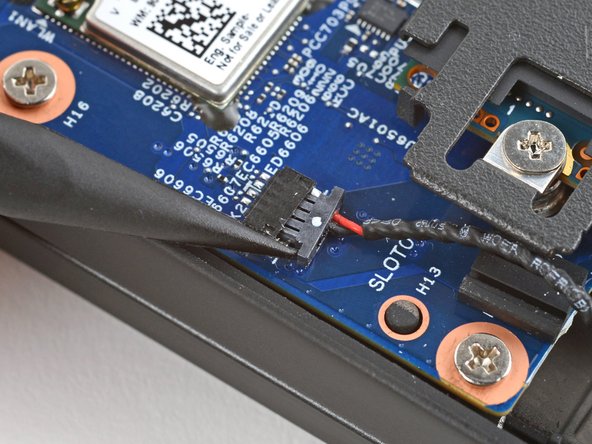
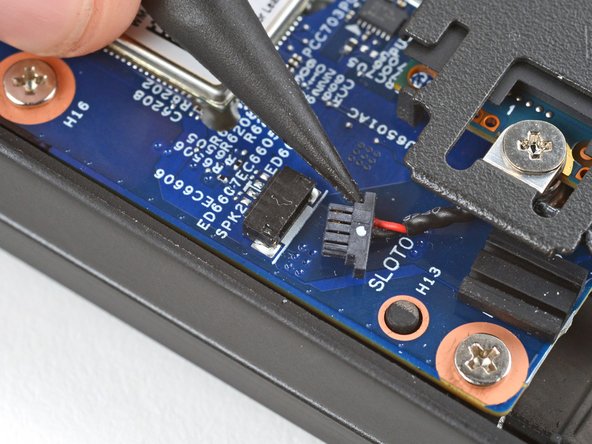
- Use the point of a spudger to push on alternating sides of the right speaker connector and "walk" it out of its socket.
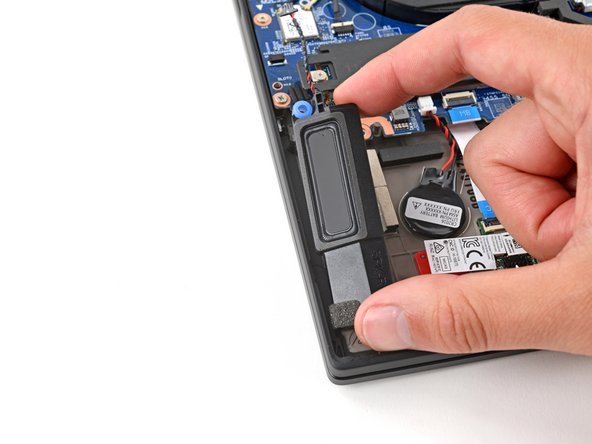
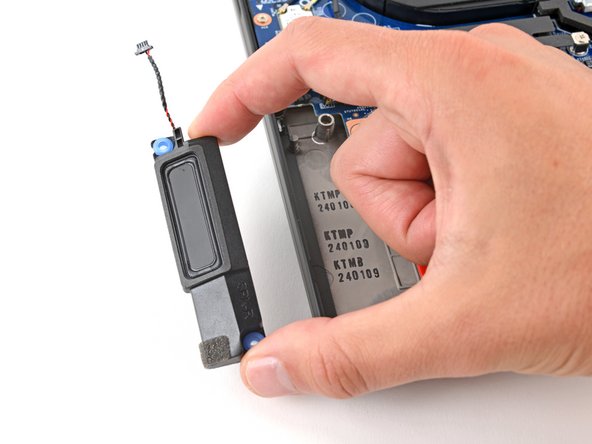
- Use your fingers to lift the speaker off its posts and remove it.
- During reassembly, put the two grommets over their posts and push the speaker down so it slides into place.
- Only press on the rigid plastic at the bottom and edges of the speaker. Pushing in the center near the soft diaphragm may damage the speaker.
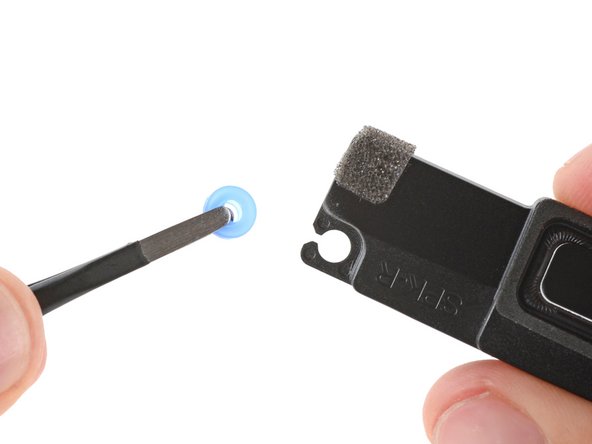
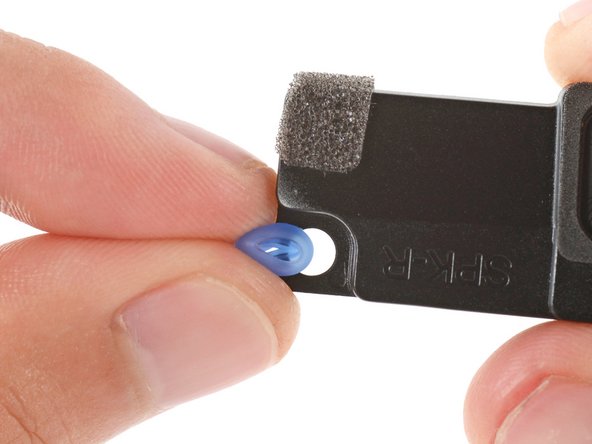
- Make sure your replacement speaker has two rubber grommets—one in the top-left corner, and one in the bottom-right corner.
- If it doesn't, remove the grommets from your old speaker and install them in your replacement.
- Installing the grommets can be tricky. Use your fingers to pinch the grommet and slide it into place.