BSP-D9 Teardown
ID: 173534
Description: This guide serves a teardown of the BSP D9...
Steps:
- To open the controller there are 8 screws on the rear that need to be remove to access either side of the controller.
- We start with the left side as the battery is this side.
- Start by squeezing the indicated area with your thumb
- Then twist whilst pressing the squeezed area to open the controller to the left similarly to a book. As shown in the second image
- There are 4 connections hold the top piece in as labelled
- 1. Rumble motor connection
- 2. Macro Button connection
- 3. Battery connection
- 4. Interconnect Flex Cable
- Disconnect the battery first before disconnecting anything.
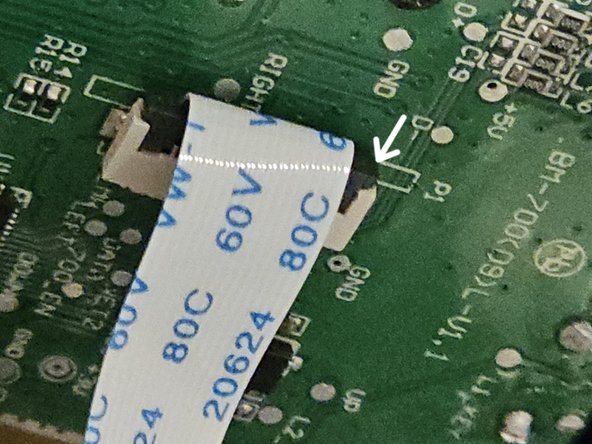
- To disconnect the ZIF connector by picking on the grey bale. As shown
- In order to remove the PCB, unscrew the two screws as shown
- And with that the left side is tore down.
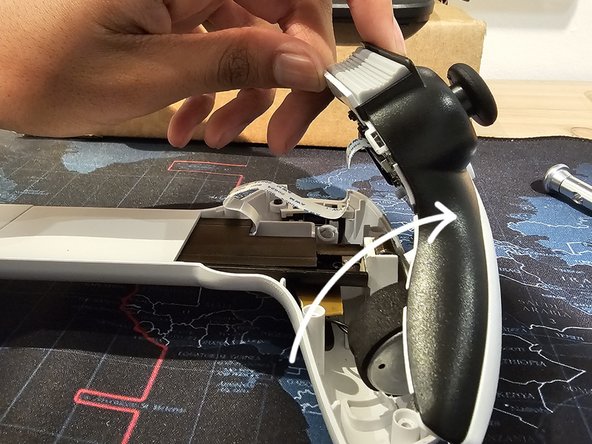
- Apply pressure in the region highlighted in the images.
- After which twist the controller in the direction shown
- There are 3 connections for the right side.
- 1. Interconnect Flex Cable Connector
- 2. Rumble Motor Connector
- 3. Macro button Connector
- To disconnect the flex cable follow the same steps as the left side
- Remove the screws highlighted in the image
- That's the right side torn down.