Acer Aspire 3 A315-24P-R7VH Back Cover Replacement
ID: 173543
Description: Use this guide to replace the back cover for...
Steps:
- Shut down your laptop and unplug any cables.
- Close the laptop and flip it over on a flat, clean surface.
- Use a Phillips screwdriver to remove the eleven 6.6 mm‑long screws from the back cover.
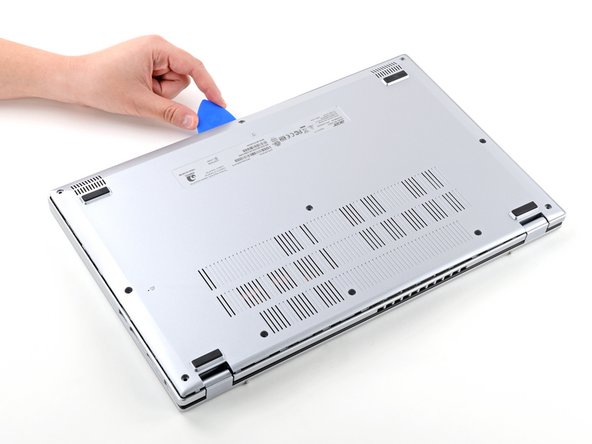
- Insert the long edge of an opening pick straight down between the chassis and the back cover at the rear of the laptop
- Pry up to release a few back cover clips and position the opening pick flat under the back cover.
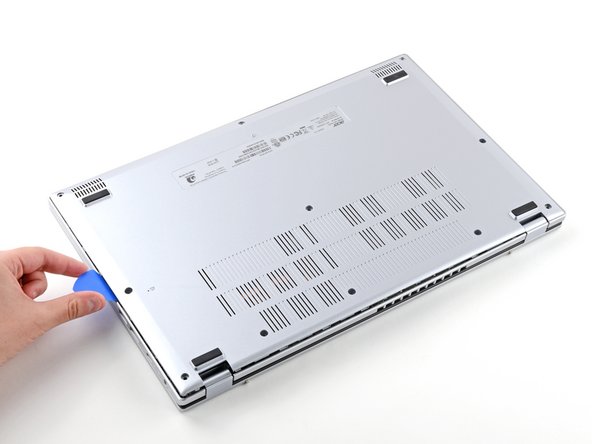
- Slide the pick along the rear edge of the laptop to release the clips.
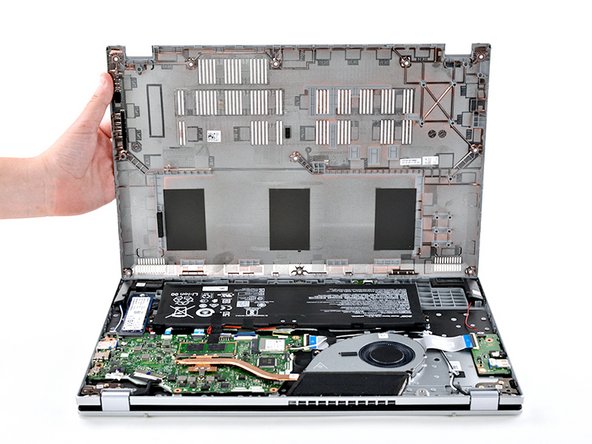
- Pry around the entire perimeter until the back cover releases.
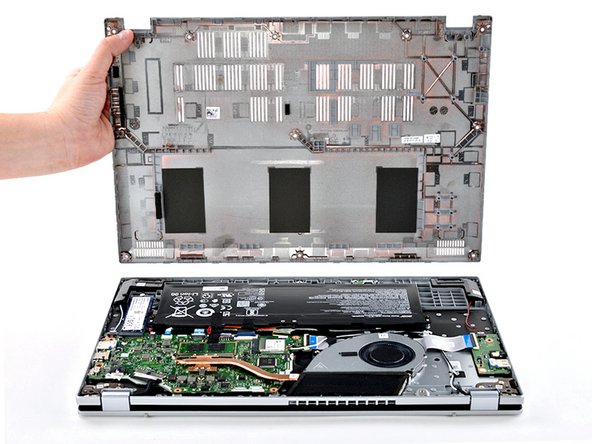
- Lift the back cover off the chassis and remove it.
- If the back cover is stuck, repeat the previous step to release any remaining clips.