Samsung Galaxy S24 Wireless Charging Coil and Loudspeaker Removal
ID: 175583
Description:
Steps:
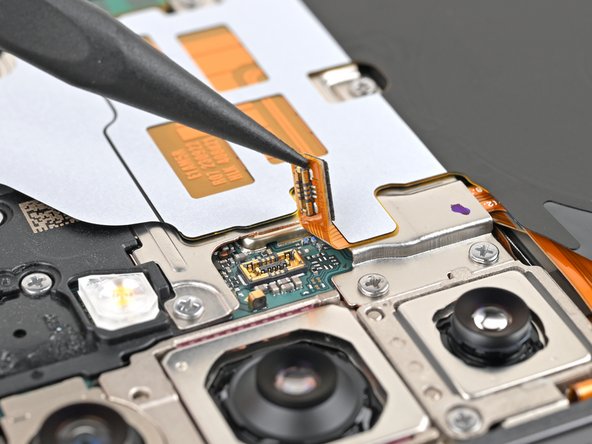
- Use the point of your spudger to pry up and disconnect the wireless charging coil press connector from the motherboard.
- To re-attach press connectors, align the connector carefully over its socket and press down with your fingertip—first on one side, then the other—until it clicks into place. Don't try to force the connector into place. If you're having trouble, reposition it and try again.
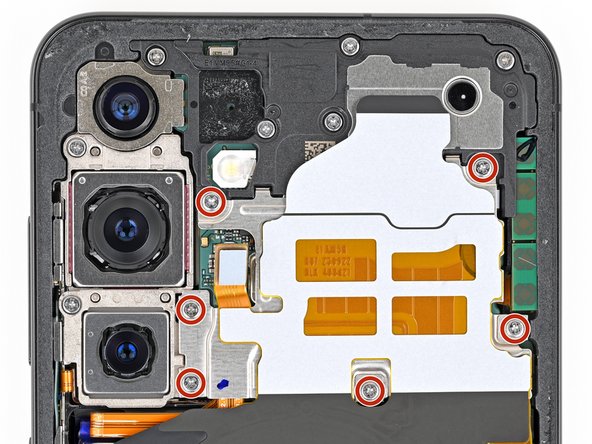
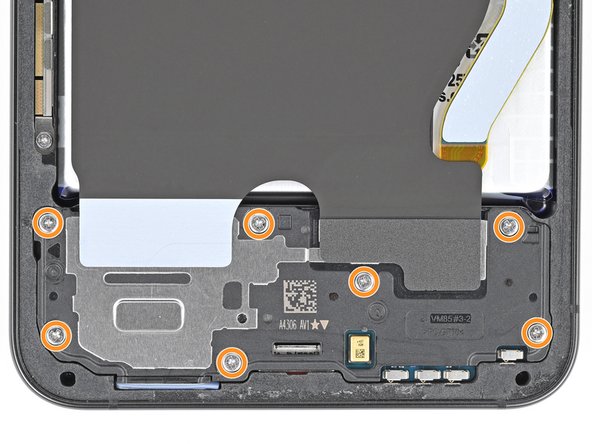
- Use a Phillips screwdriver to remove the thirteen 3.5 mm‑long screws securing the wireless charging coil and the loudspeaker:
- Six screws securing the wireless charging coil
- Seven screws securing the loudspeaker
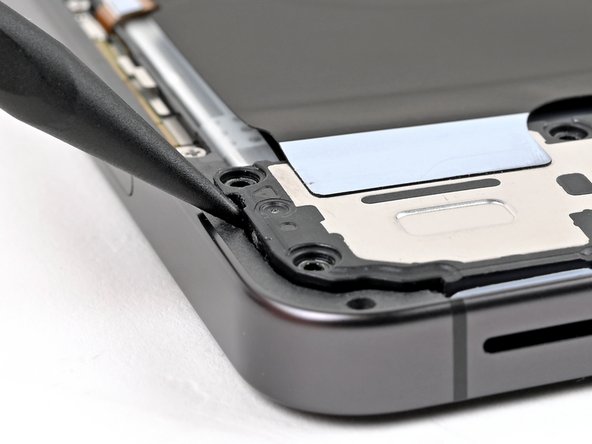
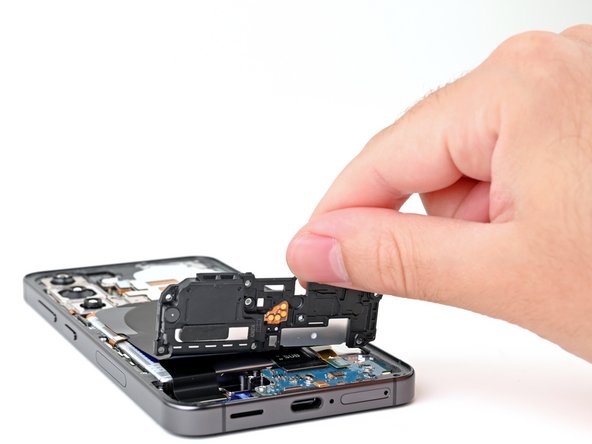
- Insert the point of a spudger in the notch located on the left edge of the loudspeaker assembly.
- Pry up the loudspeaker to release its clips.
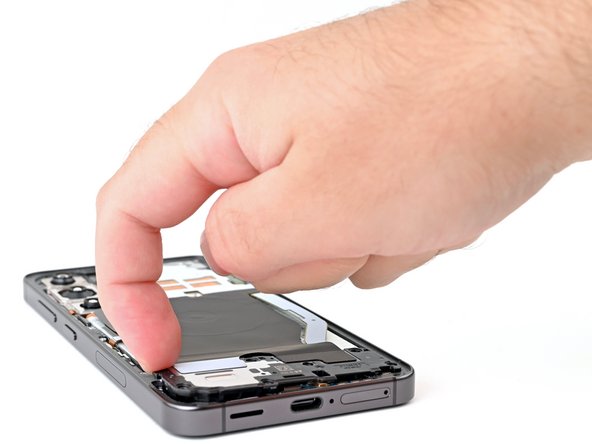
- Use your fingernail or the flat end of a spudger to pry up the wireless charging coil and loudspeaker assembly away from the frame.
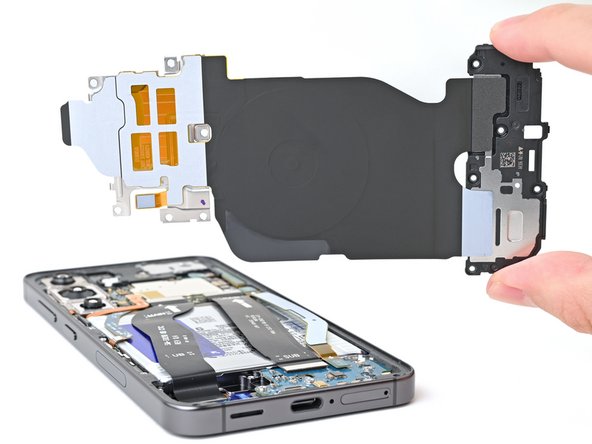
- Remove the wireless charging coil and loudspeaker from your phone.
- During reassembly, press around the edges of the loudspeaker to clip it to the frame before reinserting the screws.