HMD Fusion Back Cover Removal
ID: 176065
Description: Prerequisite guide to remove the back cover in...
Steps:
- Firmly press a SIM eject tool, bit, or straightened paper clip into the SIM card tray hole on the left edge of your phone until the tray ejects.
- Remove the SIM card tray.
- Use a T3 Torx screwdriver to remove the sixteen 5.0 mm‑long screws securing the back cover.
- Use your fingernails, or angled tweezers, to remove any stuck screws.
- The screws are secured tightly in the back cover, so you might not be able to remove all of them. If you can't remove a few screws, don't worry! Move to the next step and follow the guide normally.
- During the next four steps, the remaining back cover screws might fall out unexpectedly.
- To avoid losing screws, you can place a tray, bowl, or Magnetic Project Mat under the phone while you work.
- Flip your phone over so the screen is facing up.
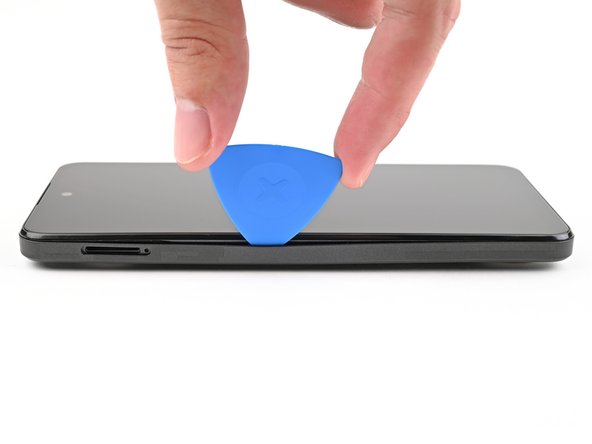
- Insert the tip of an opening pick between the back cover and frame at the SIM card tray cutout.
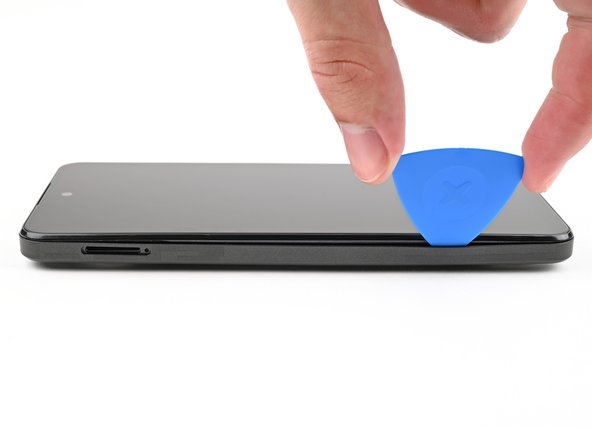
- Slide the opening pick along the left edge to begin unclipping the back cover.
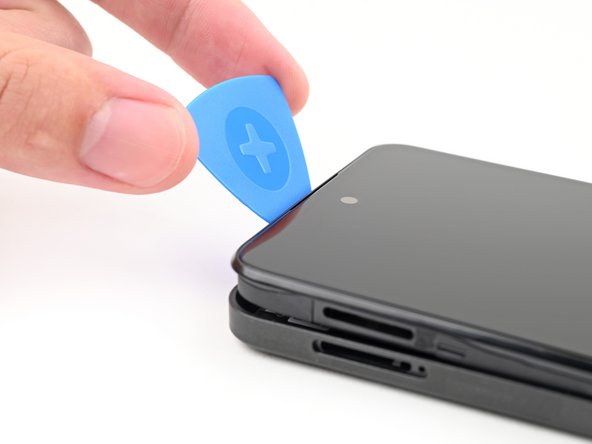
- Continue sliding the pick around the perimeter of your phone until the back cover is fully unclipped.
- The corners can be tricky to unclip and may take some force. If you're having trouble, try prying up with the pick.
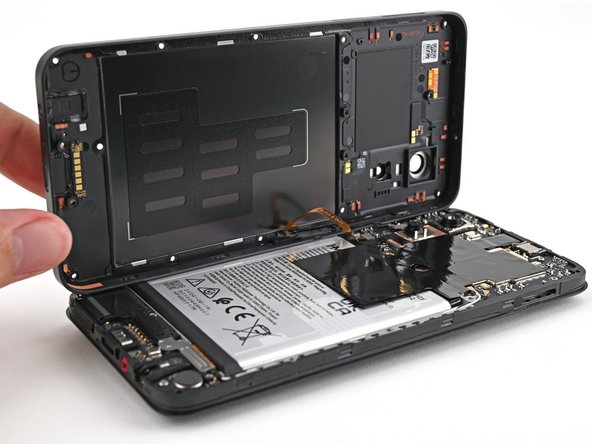
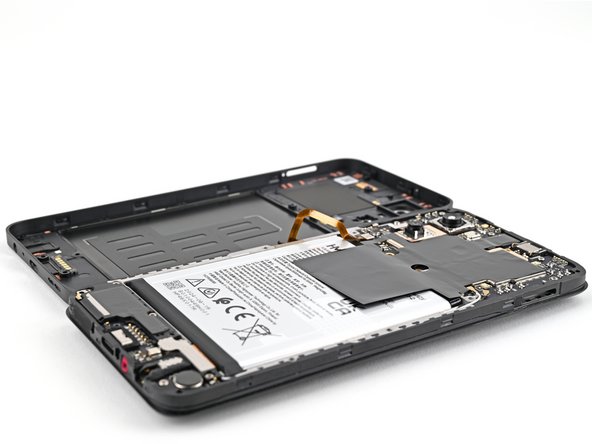
- Don't try to fully remove the cover yet, as it's still connected by a delicate cable.
- Carefully flip your phone over so the back cover is facing up.
- Lift the back cover off the frame and flip it over the left edge of your phone, laying the cover flat on your work surface.
- Be very careful not to strain the back cover's delicate cable.
- During reassembly, place the back cover onto the frame and firmly press around the perimeter to reengage all the clips.
- Use a spudger to pry up and disconnect the battery press connector.
- Use a spudger to pry up and disconnect the power button press connector.
- Remove the back cover.