Thrustmaster T-LCM Pedal Maintenance
ID: 176219
Description: This guide shows how to open and clean a...
Steps:
- Remove the screws from each pedal head (highlighted in red).
- Flip the pedal set and remove 14 screws from the bottom (highlighted in red).
- Remove the top cover.
- Using a can of compressed air or a dust blower, remove dust and any other grime.
- Using a cloth, clean the extremities of the axes of both the gas and clutch pedal.
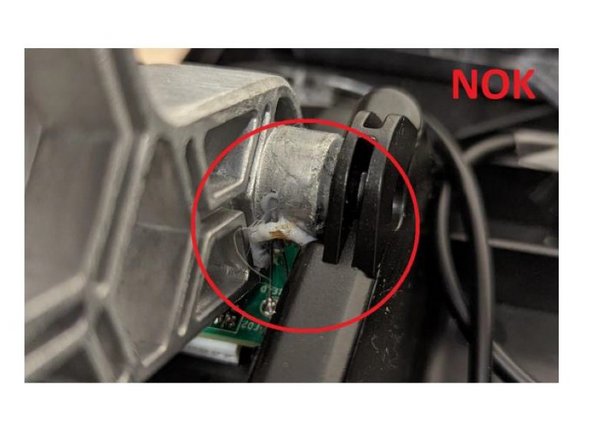
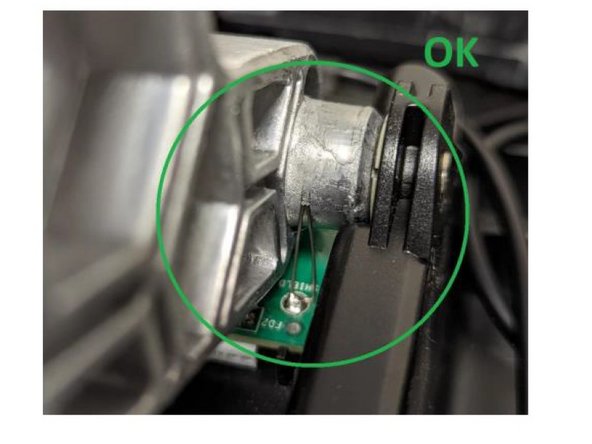
- Carefully clean the metal strands soldered to the PCB. These two metal strands must always remain in contact with the axis throughout the pedal’s entire movement.