Meural Canvas MC227 Wi-Fi Module Replacement
ID: 176423
Description: Meural Canvas MC227 has an chronic fault due to...
Steps:
- Remove all the philips screws off the rear cover.
- Approach the mainboard, remove all the connectors and the screws and free the mainboard.
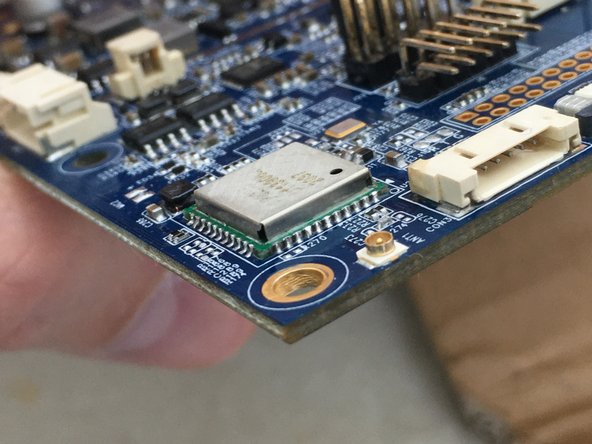
- Wi-Fi module is shown in the last photo, it is AP6255.
- You need to desolder the Wi-Fi module and replace it.
- Cover the rest of the board with kapton tape to prevent heat damage.
- Using hot air gun and plenty of flux heat the module until it is moving.
- Remove the Wi-Fi module with tweezers.
- Clean the area with solder wick and flux.
- Apply fresh solder on the pads.
- Place the new Wi-Fi module and solder it with hot air gun and plenty of flux.
- Pay attention to positioning the module.
- Check the soldering from all corners and eliminate shorts.
- Admire your work.
- Clean and reconnect your mainboard on the device.
- While I was there, I repainted the frame into matte white, looks way nicer.
- Reconnect all cables and connectors.
- Restart and connect your Meural Canvas to the network.
- Now your Meural Canvas will have no problems connecting Wi-Fi now.
- Enjoy beautiful art on a beautiful screen!