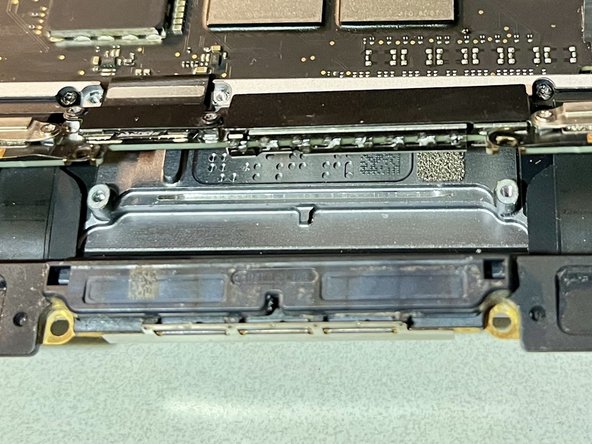
MacBook Pro 13" Dust-Gate Preventive Cleaning
ID: 177920
Description: What is Dust-Gate? 2016+ (all the way to 2022...
Steps:
- Start by studying the directions on removing the screen.
- Need to use magnifying eye wear and tweezers to pick out the larger debris and in generally wipe/pull debris away from getting in deeper. Must be careful with tweezers to not to pinch/puncture flex), pointy Q-Tip, and small soft/thin fiber brush are all useful tools.
- The floppy display connection can potentially scratch the screen while manipulating the screen to clean the flex. It maybe good idea to lay micro fiber across the screen and tape it against the back of the lid for protection.
- The antenna bar must be keyed in properly during reinstall. If not, then rotating screen hinge will result in squeezing on this part of the bar and make rubbing/clicking sound
- Easy to get the spring tensioned strap caught between screen and keyboard where it doesn't belong. If the clam shell is closed all the way, I'd imagine it will certainly scratch if not crack the screen. Thus take great care to inspect inside hinge of the clamshell after just mounting the screen's 6 screws to confirm didn't get caught in between.