DJI Phantom 3 Standard Remote Controller Battery Replacement
ID: 178958
Description: This guide will be used to open the DJI Phantom...
Steps:
- Position the controller so the back is facing up and the joysticks are resting on the table.
- Remove the four 11 mm screws that secure the back plate using a Phillips #0 screwdriver.
- Remove the back plate, being mindful of the wires still connected to the device.
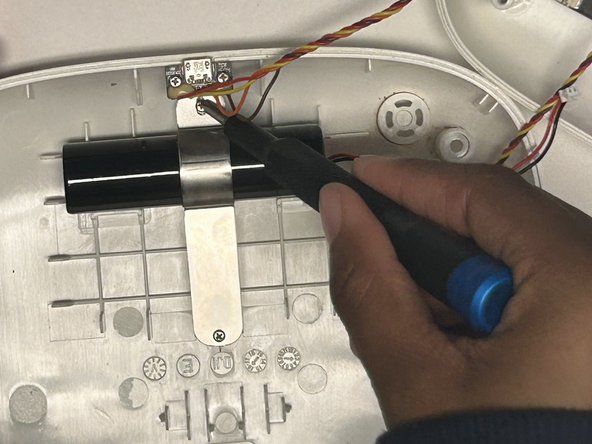
- Remove the two 8 mm screws securing the battery to the controller using a JIS #00 screwdriver.
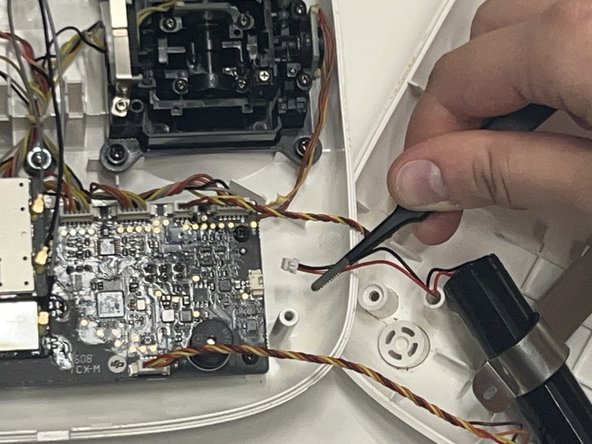
- Use the nylon-tipped tweezers to detach the three-prong battery attachment that connects the battery to the motherboard.
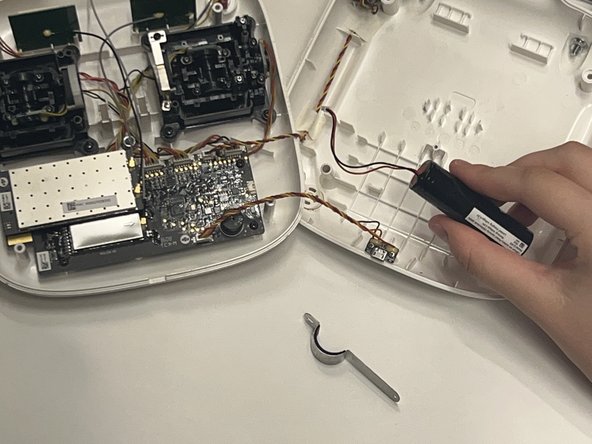
- Remove the battery.