Anker Soundcore 3 Battery Replacement
ID: 178964
Description: This is a replacement guide for the battery on...
Steps:
- Gently heat the perimeter of the device with a hairdryer to loosen the adhesive.
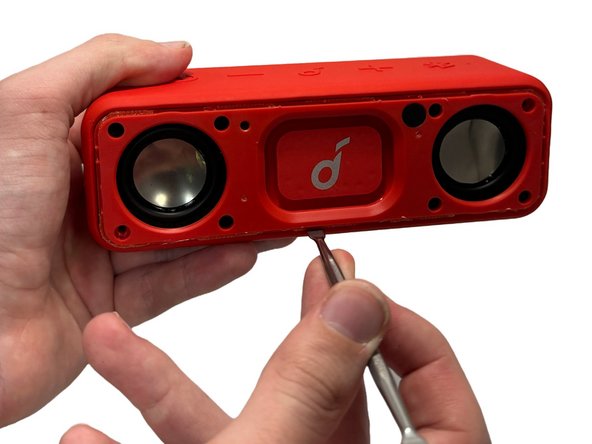
- Insert a metal spudger in between the speaker's front grill and chassis.
- Continuously pry around the edges of the casing; you should hear the glue start to separate from the front panel before the two parts separate.
- Remove 8 of the 10 mm screws from the speaker panel using a Phillips #0 screwdriver.
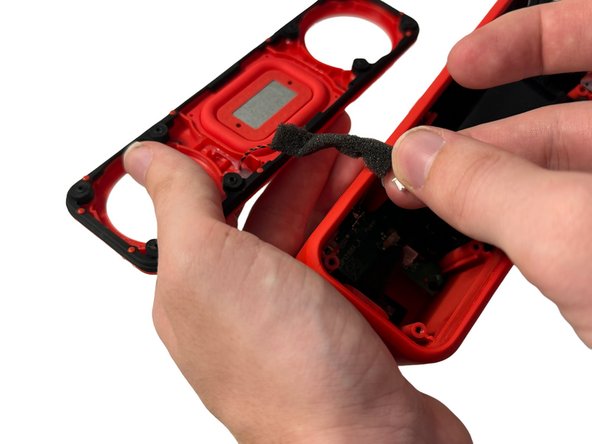
- Using the metal spudger, gently pry at the outer-edges of the speaker to remove the rubber/plastic panel that sits above the motherboard.
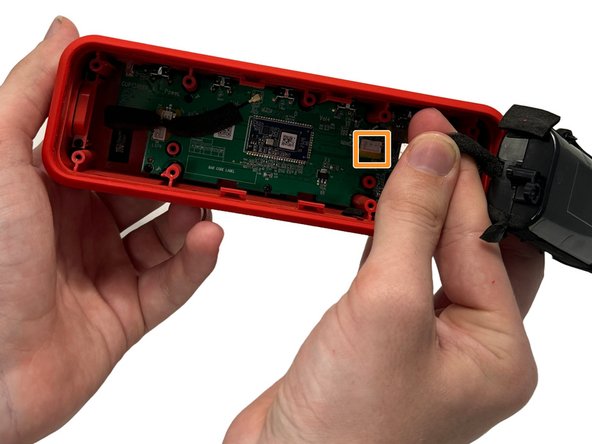
- Grip and disconnect the cable connector from both the rubber/plastic panel and the mainboard.
- Remove the four 10 mm screws that secure the battery with a Phillips #00 screwdriver.
- Firmly grasp the connector cable and gently pull up to remove it from the mainboard.
- Remove the battery.