Sony TCM-450 Speaker Replacement
ID: 179068
Description: iFixit Soldering Guide Is the speaker on your...
Steps:
- Remove the two 3.5 mm Phillips #00 screws from the bottom of the device.
- Caution: Ensure the device is off and unplugged if using the power adapter, as it is unsafe to remove the cabinet while on and will cause damage and potential harm to the user.
- Open the lid, and carefully remove the two 9.7 mm Phillips #0 screws from the inside of the front cabinet.
- Exercise caution while removing these screws, as damage to essential parts may occur and other minor damages may occur if the screwdriver slips.
- Open the battery cover, and gently remove the back cabinet with the iFixit Opening tool.
- The device will make a popping sound when removing the back cabinet. The back cabinet may feel as if it is not loose. However, as long as the back cabinet looks disconnected from the lid, it is safe to remove.
- Carefully desolder the two connections for the speaker and then carefully remove the wires.
- If you are unfamiliar with desoldering and soldering, please consult the iFixit Soldering Guide.
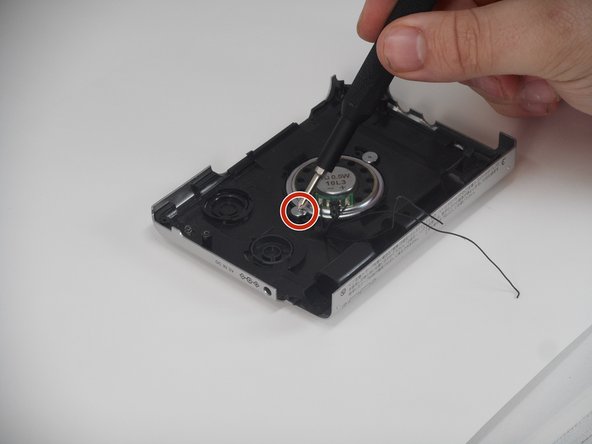
- Remove the two 3.1 mm Phillips #00 screws.
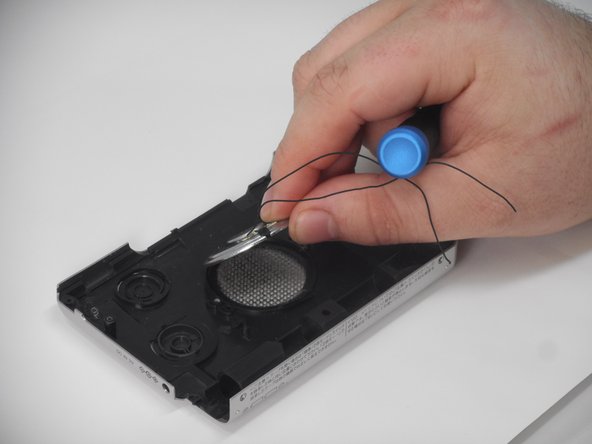
- Gently lift and remove the speaker from its slot.