CHUWI GemiBook XPro Screen Replacement
ID: 179129
Description: The CHUWI GemiBook XPro features a 14-inch...
Steps:
- Peel off the black tape on the upper-right side of the motherboard.
- Use two opening tools or your fingernails to carefully "walk" the battery connector out of its socket.
- Unseat the speaker wires and antenna wire from their retaining hooks on the battery with a halberd spudger.
- Use a Phillips #1 screwdriver to remove the five 4.3 mm screws that secure the battery.
- Lift the battery up and out of the chassis.
- Carefully open the device screen side down.
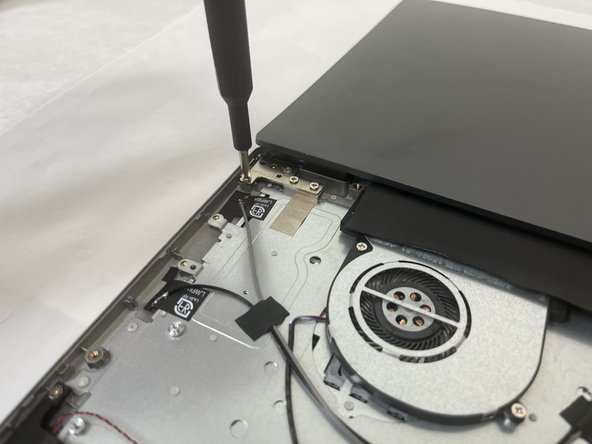
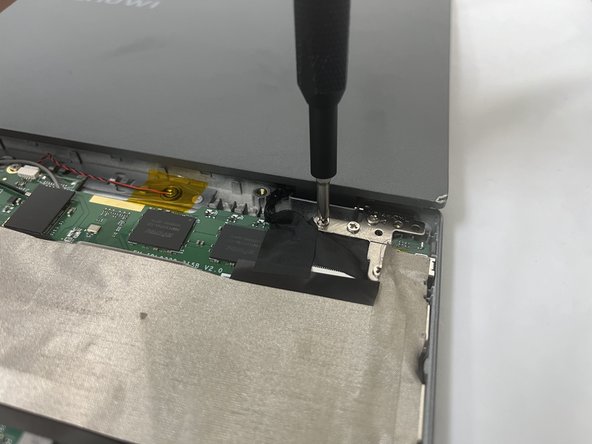
- Use a Phillips #1 screwdriver to remove the four 4.3 mm screws on the left hinge, and the three 4.3 mm screws on the right hinge.
- Use a Phillips #1 screwdriver to remove one 5.6 mm hinge screw on the lower-right side of the right hinge.
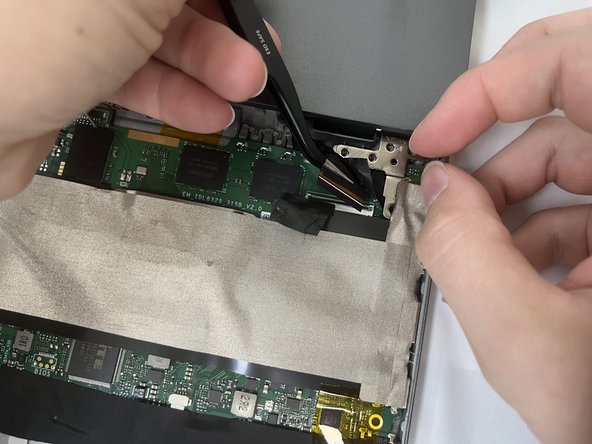
- Peel back the black tape near the right hinge.
- Disconnect the display ribbon cable.
- Lift the screen assembly off of the chassis.