Amazon Kindle 8 Front Cover Replacement
ID: 179151
Description: If the front cover of your Amazon Kindle 8 is...
Steps:
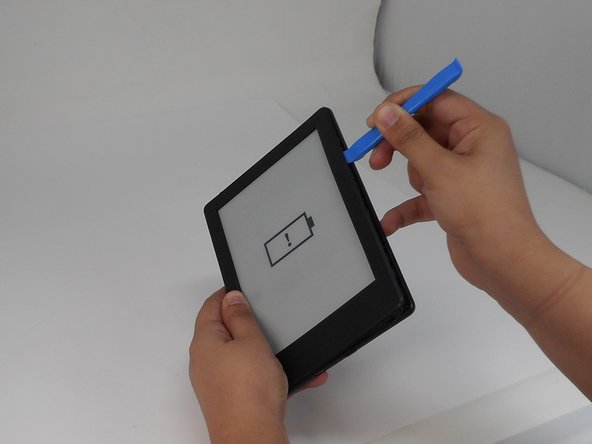
- Insert the iFixit opening tool into any corner of the Kindle’s front cover.
- Gently slide the tool along the edges and carefully separate the front cover from the inner front cover.
- Keep even pressure to avoid any cracks.
- Lift front cover once all clips are disengaged.
- Lift the front cover gently so that it is not cracked.
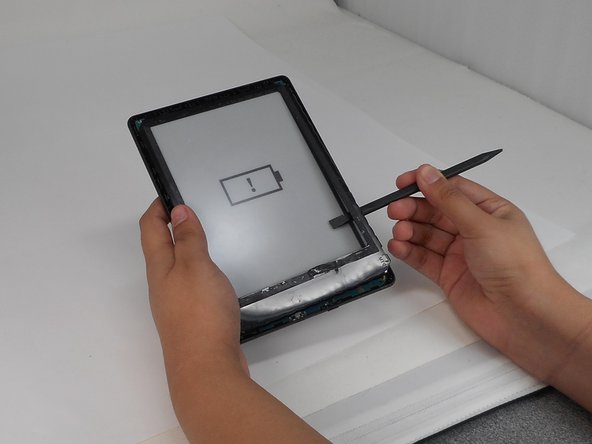
- Insert the spudger between the inner front cover and the screen.
- Gently work your way around to loosen the inner front cover.
- Carefully lift the inner front cover from the device.