Little Tikes Tobi 2 Interactive Karaoke Machine Speaker Replacement
ID: 179166
Description: The speaker is a critical component of the...
Steps:
- Use a Phillips screwdriver to remove the single screw that is holding the cover to the battery compartment.
- If the screw doesn’t come out right away, use a spudger to gently lift the edge of the battery compartment in the recessed area while continuing to unscrew it with your other hand.
- Use a spudger to carefully pry off the battery cover.
- To easily pop out a battery, use your thumb to push the battery from the flat side down toward the coil and pull the battery outward.
- Remove all four batteries.
- Take a new AA alkaline battery and position it in the correct orientation. Insert the flat side of the battery facing the coil first, then press the raised side down. Ensure this second battery is oriented in the opposite direction to the first. Continue replacing the batteries in an alternating pattern.
- Use a Phillips screwdriver to remove four screws from the base of the device.
- If the screws don't come out, you can gently lift them with the screwdriver tip or push them out from the other side once they're all loosened.
- Remove the bottom of the karaoke machine.
- Don't pull it apart roughly as it is attached to internal cables and they may be damaged in the process.
- Use a Phillips screwdriver to remove the four screws from the interior of the white base.
- Use a Phillips screwdriver to remove the four screws from the exterior black plastic part of the case.
- Use a spudger to disassemble the case.
- Use a Phillips #0 screwdriver to remove the two screws from the diamond-shaped gray plastic cover.
- Remove the gray cover.
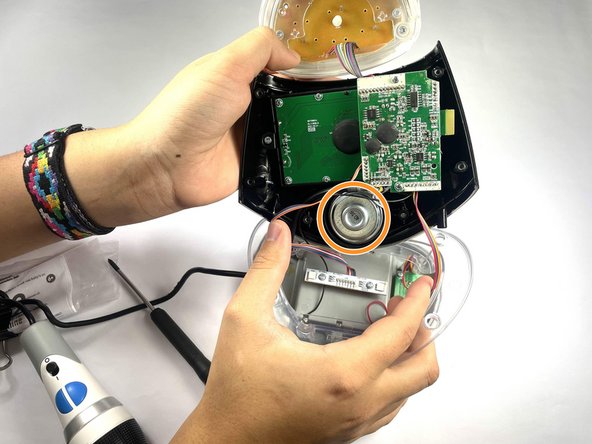
- Use a hairdryer or heat gun to soften the adhesive securing the speaker.
- Be careful to not melt the device when using the heat gun. Don't hold it over one area for too long.
- Use a spudger to remove the speaker.