HP EliteBook 840 G9 Battery Disconnection
ID: 179211
Description: This guide shows how to disconnect the battery...
Steps:
- Before starting your repair, allow your laptop's battery to drain below 25%—a charged lithium-ion battery is a potential safety hazard if accidentally damaged.
- Save your work, fully shut down your laptop, and unplug all cables.
- Despite the standards, Phillips screwdrivers can vary in size and shape—two drivers labeled as the same size may fit differently in the same screw. Use the size that fits the most snug into the screw head to avoid stripping it.
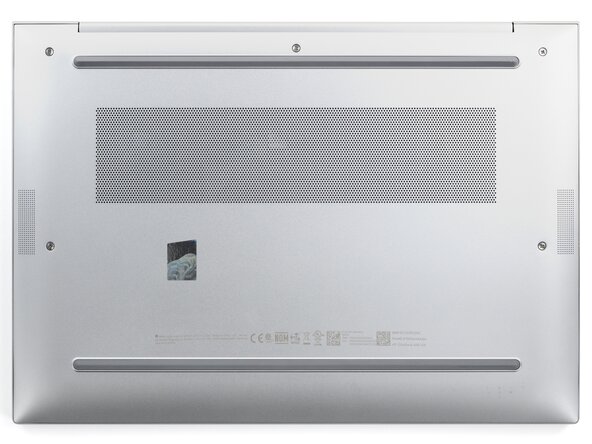
- Use a Phillips screwdriver to fully loosen (not remove) the five captive screws securing the bottom cover.
- Position your laptop so the rear edge (with the screen hinge) is closest to you.
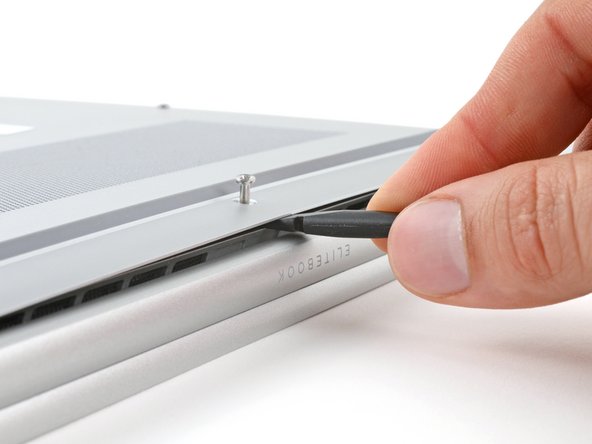
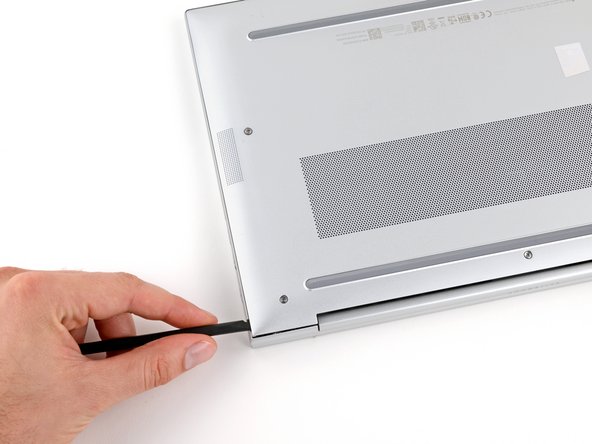
- Insert the flat end of a spudger between the rear edge of the bottom cover and the frame, near the middle screw and ELITEBOOK text.
- If you're having trouble inserting your spudger, make sure the screw is fully loosened. If necessary, use your fingers to gently pull the screw up.
- Use your spudger to pry up the cover to release the clip securing it.
- Leave the spudger inserted under the bottom cover for the next step.
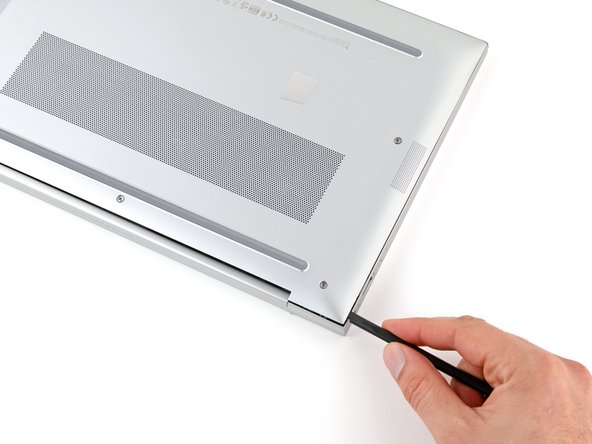
- Slide your spudger along the rear edge toward one of the corners to release the rear edge clips.
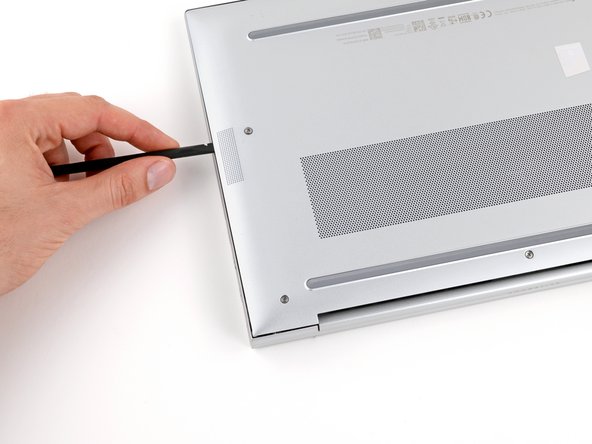
- Rotate your spudger around the corner and up the edge to release the clips securing the short edge of the cover.
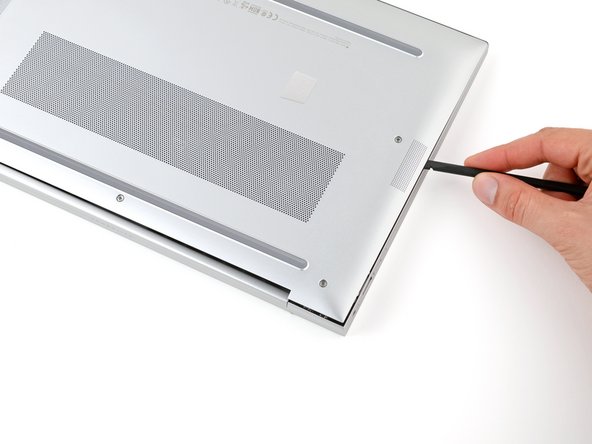
- Reinsert the flat end of a spudger near the ELITEBOOK text.
- Repeat the previous step for the other side of the cover to release the remaining clips.
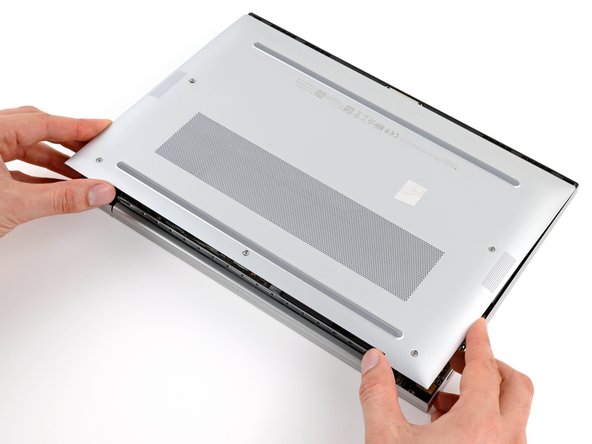
- Slide the cover towards the screen hinge to disengage the clips on the opposite edge.
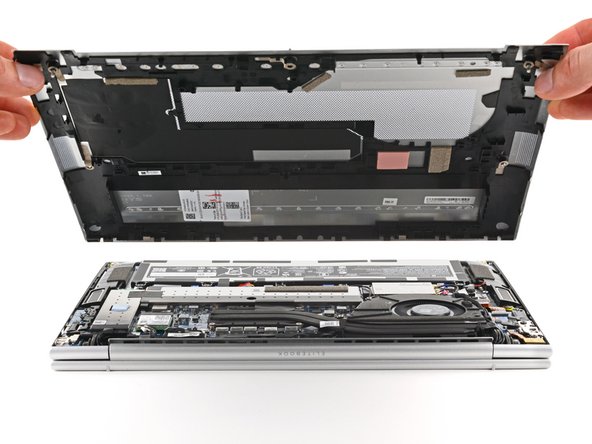
- Lift and remove the cover.
- The cover should come away easily. If you feel resistance, use the flat end of a spudger to release any remaining clips.
- During reassembly, slide the clips along the front edge of the cover (opposite the hinge) into their slots on the frame, then lay the cover down. Firmly press around the perimeter of the cover to engage all the clips.
- Position your laptop so the front edge (opposite the screen hinges) is closest to you.
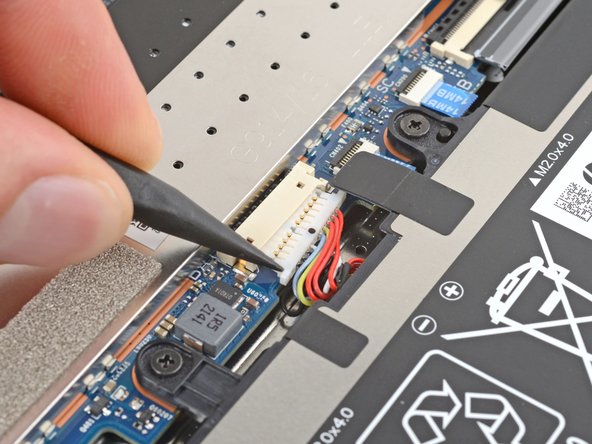
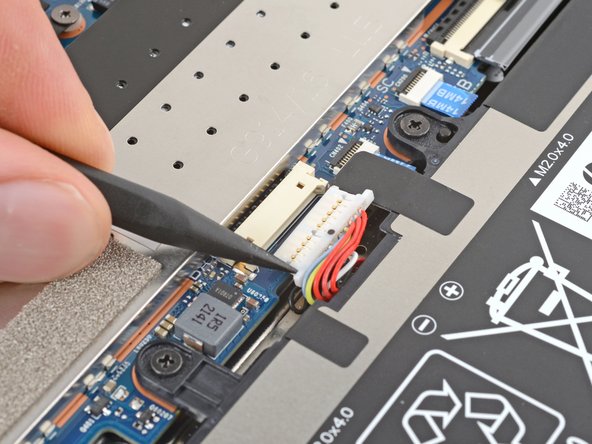
- Use the point of a spudger to push on alternating sides of the battery's sliding connector to walk it completely out of its socket.