Kindle 10 Battery Replacement
ID: 179229
Description: If you discover any issues such as quickly...
Steps:
- Gently use a metal spudger to pry, twist, and lift the bezel away from the display.
- Remove the eight 2.6 mm screws using a T5 Torx screwdriver.
- Use the metal spudger to gently lift the screen out of the back frame.
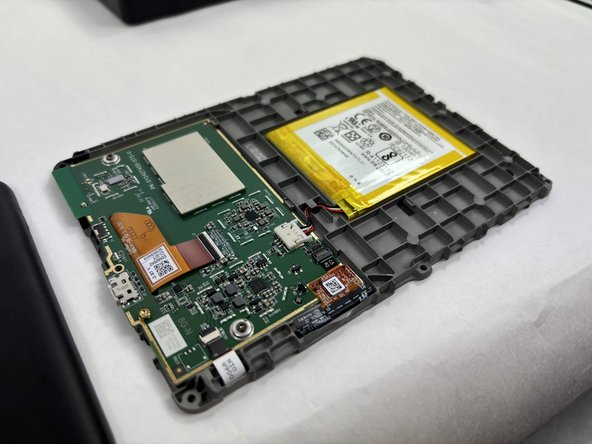
- Detach the battery connector from the motherboard.
- The battery pack may be glued on to the gray plastic frame. Take care when prying it out not to rip the battery, since it is made of a lithium polymer which is flammable and deforms easily.