Toptro TR23 IR Sensor Replacement
ID: 179240
Description: Are you experiencing issues with your Toptro...
Steps:
- Set the projector on its side so the the front is facing to your left.
- Insert an opening tool into the seam between the black chassis and the silver case.
- Pry around the perimeter until the case fully releases.
- When removing the cover, be careful as there is an internal connector attached to the lid and the projectors motherboard. You’ll have to carefully detach that before fully removing the projector case.
- Remove the case.
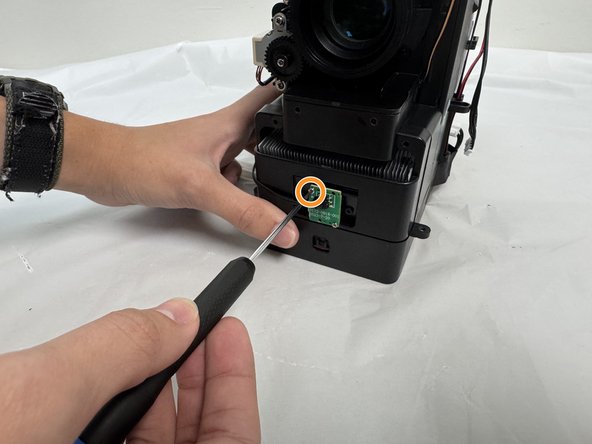
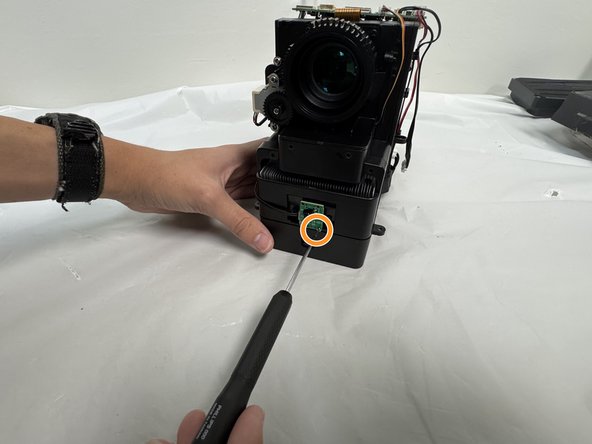
- With the projector lens facing you, locate the IR sensor mounted on front and the two mounting screws that attach the IR sensor and board to the projector.
- Use a Philips #000 screwdriver to remove the two 6.3 mm screws holding the sensor onto the front of the projector.
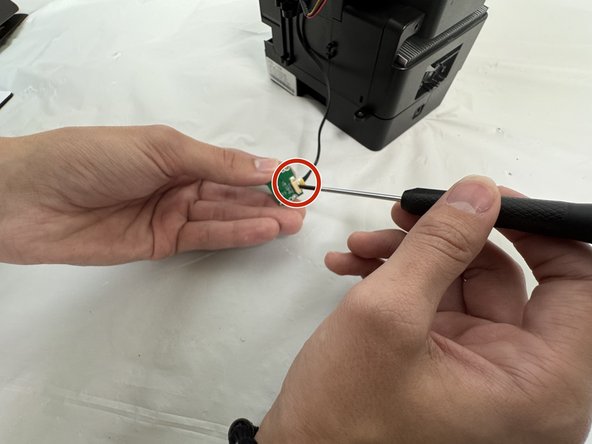
- Remove the IR sensor from the plastic mounts with care not to strain the attached wire.
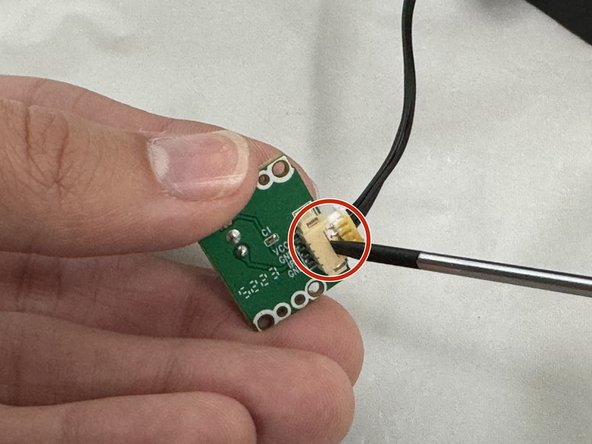
- Turn the sensor over to reveal the wire harness and clip.
- Use a small flathead screw driver to gently pry out the connector from its socket.
- The connector is small and fragile. Use care when pressing the tip of the screwdriver onto the clip to avoid breaking it.