Lefant M210 Brush Replacement
ID: 179254
Description: If the rotating brush on your Lefant M210 robot...
Steps:
- Turn off the Lefant M210 and disconnect it from the charging dock.
- Flip the unit over so the bottom faces upward.
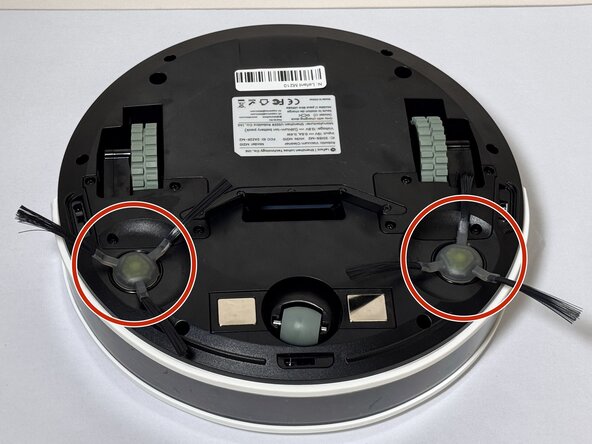
- Locate the circular brush assemblies on the left and right sides of the underside.
- Place the unit on a clean, flat surface to prevent scratching.
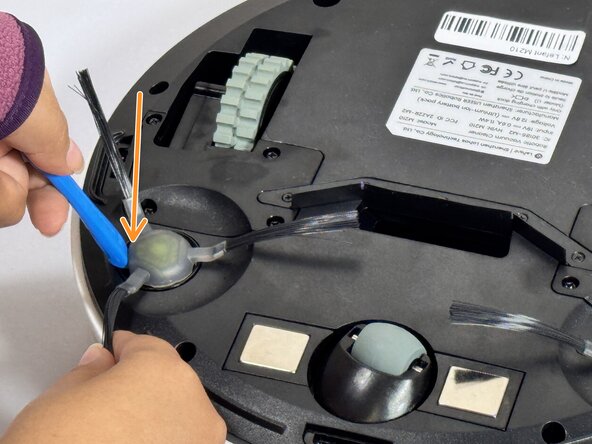
- Insert the iFixit Opening Tool (or similar pry tool) under the circular edge of the brush assembly.
- Apply gentle downward pressure on the opposite end of the tool to lever the brush component out of its housing.
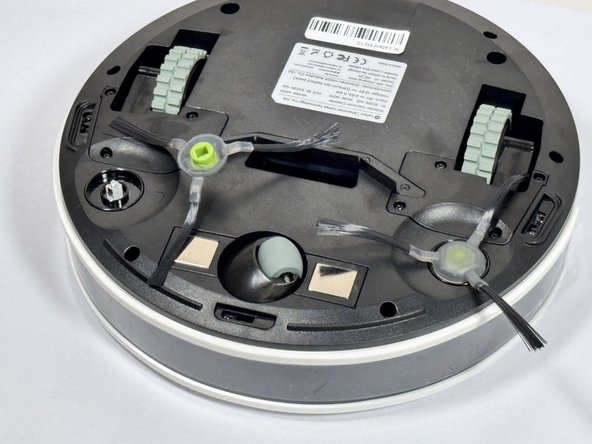
- Remove the brush assembly completely and set it aside.
- If replacing both brush assemblies, repeat this process on the other side.
- Avoid using excessive force, which may damage the mounting clips.
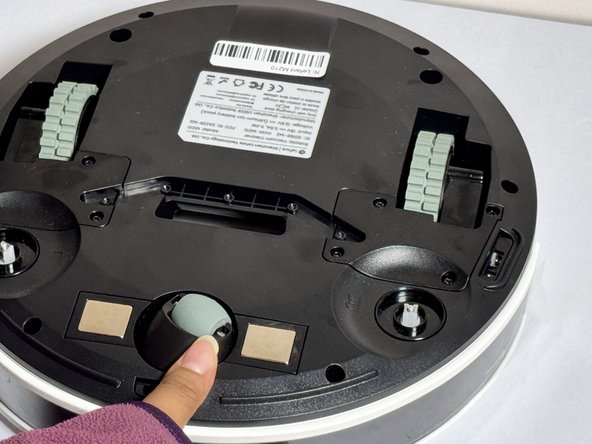
- Position the new brush assembly above the square mounting peg.
- Align the square cavity on the bottom of the brush with the corresponding square peg in the vacuum housing.
- Press down firmly on the brush assembly until you hear or feel it click into place.
- Gently tug on the brush to verify it is securely seated.
- The brush should sit flush with the housing and not move when pulled gently.