TopTro TR25 Infrared Receiver Replacement
ID: 179268
Description: The case of the device is fairly simple to...
Steps:
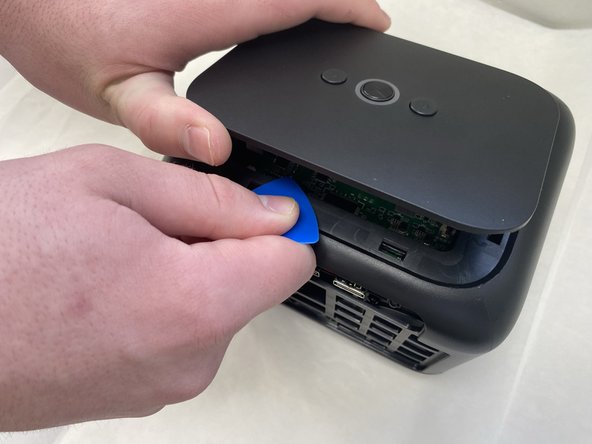
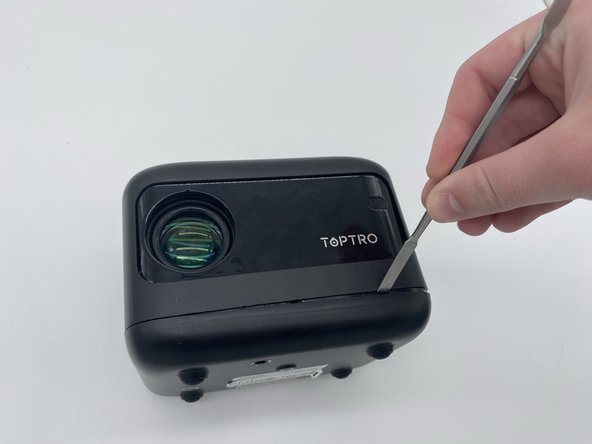
- Insert an opening pick in the seam between the top panel and chassis.
- Pry around the entire perimeter of the top panel until it fully releases.
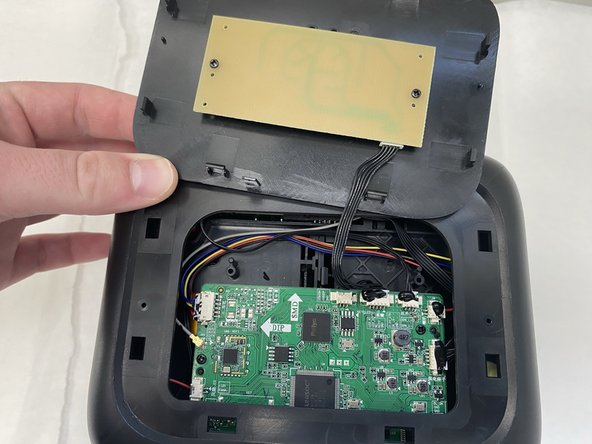
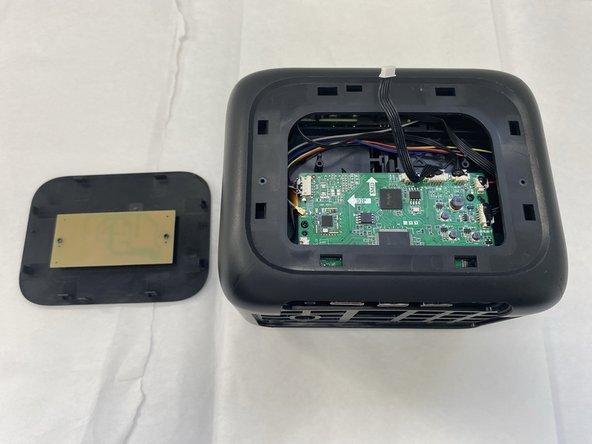
- Remove the top panel.
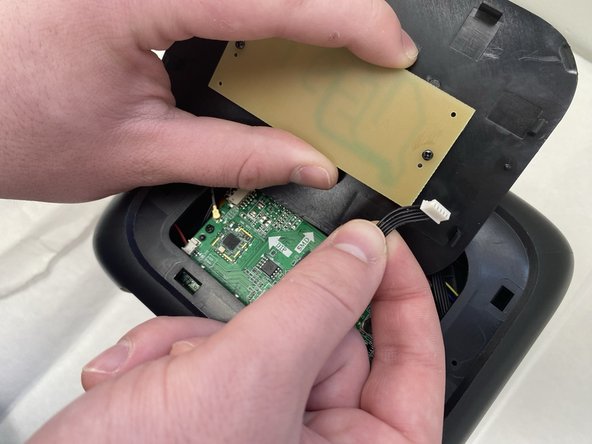
- Unplug the cord connecting the top button panel to the projector,
- Make sure to disconnect the end connected to the panel and not the chassis.
- The cord is small and sensitive and could sustain damage if pulled out aggressively.
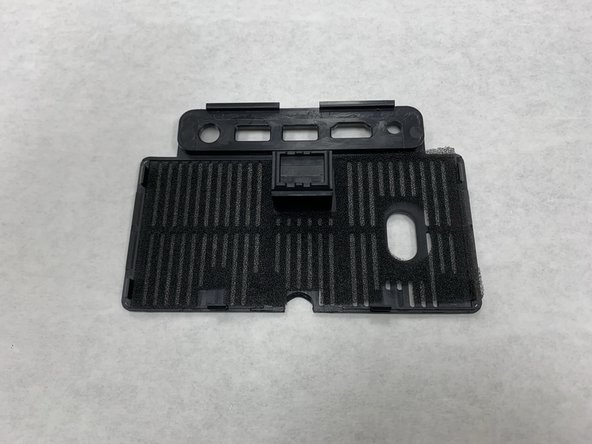
- Insert a spudger into the semi-circle panel indent and pry up to remove it.
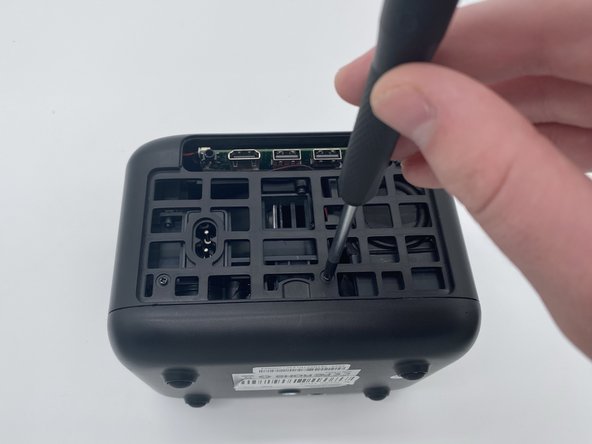
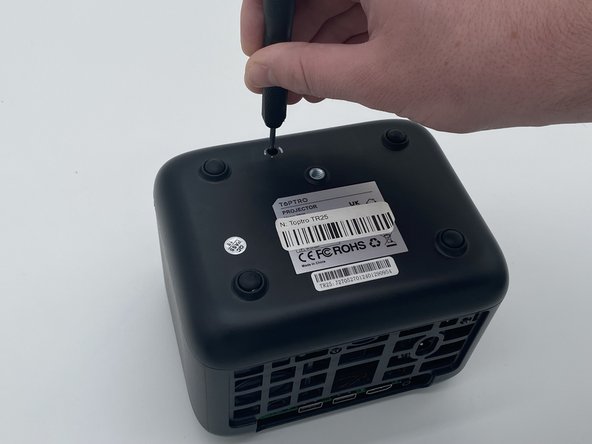
- There are three Phillips screws securing the case on. Two are inside the opening left by the previous step, and the third is located on the underside of the projector. Remove all three.
- The third sticker may be located underneath a QA (quality assurance) sticker. If you are having trouble finding it, look for that sticker.
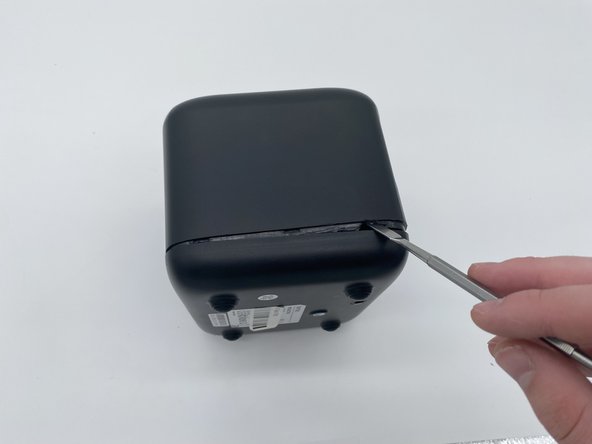
- Insert a spudger into the seam between the lower panel and chassis.
- Pry around the perimeter until the lower panel fully releases.
- We suggest starting at the front, but starting from any side will work.
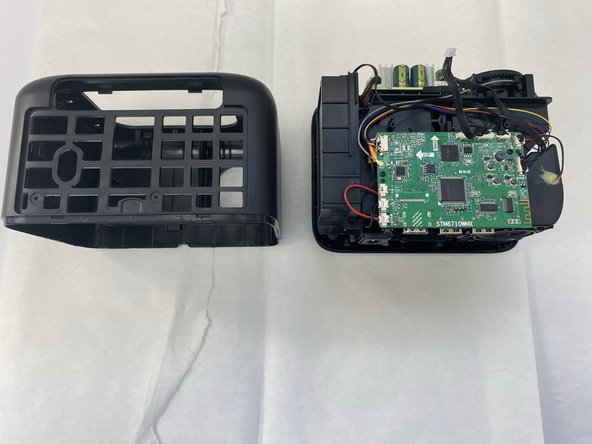
- Remove the case from the projector and set it aside.
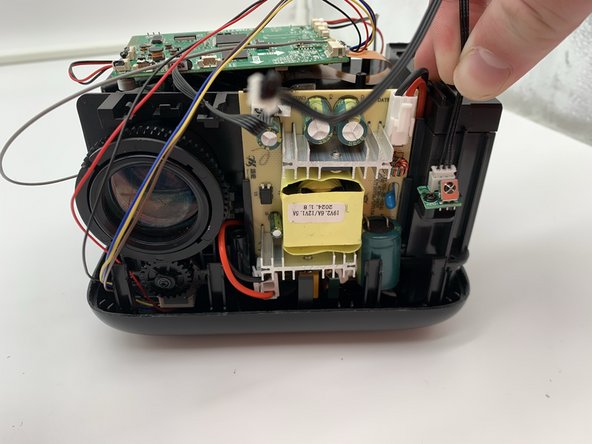
- Use a Phillips screwdriver to remove the screws securing the IR receiver.
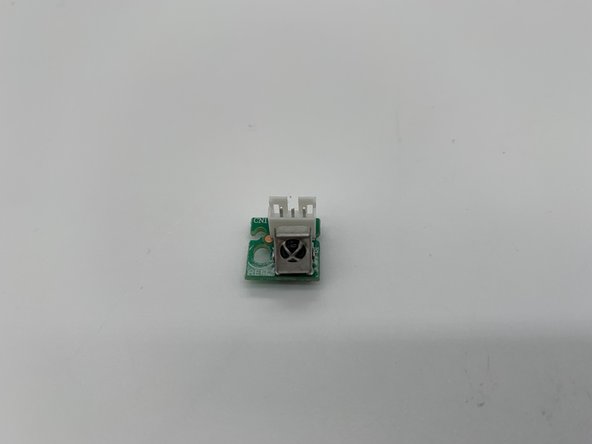
- Remove the IR receiver.
- The IR Receiver is small and fragile making it easily breakable